Work About Sketchbook Contact
Back to Portfolio
Legal Tech

PracticePanther Payments

Redesigning the foundation: Grid system for legal workflows
Role Lead Product Designer
Timeline 6 months
Platform Web Application
Impact System-wide Adoption
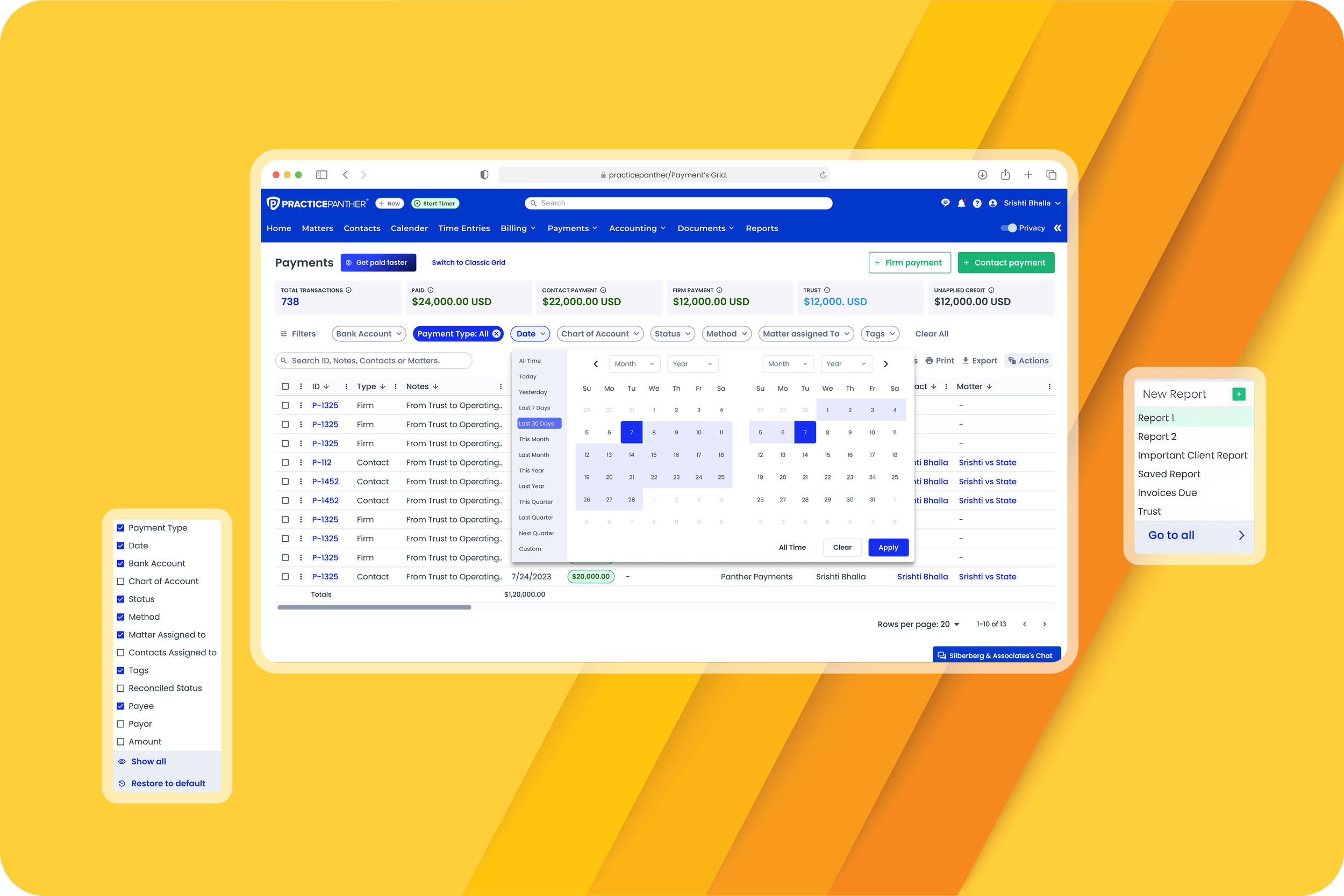
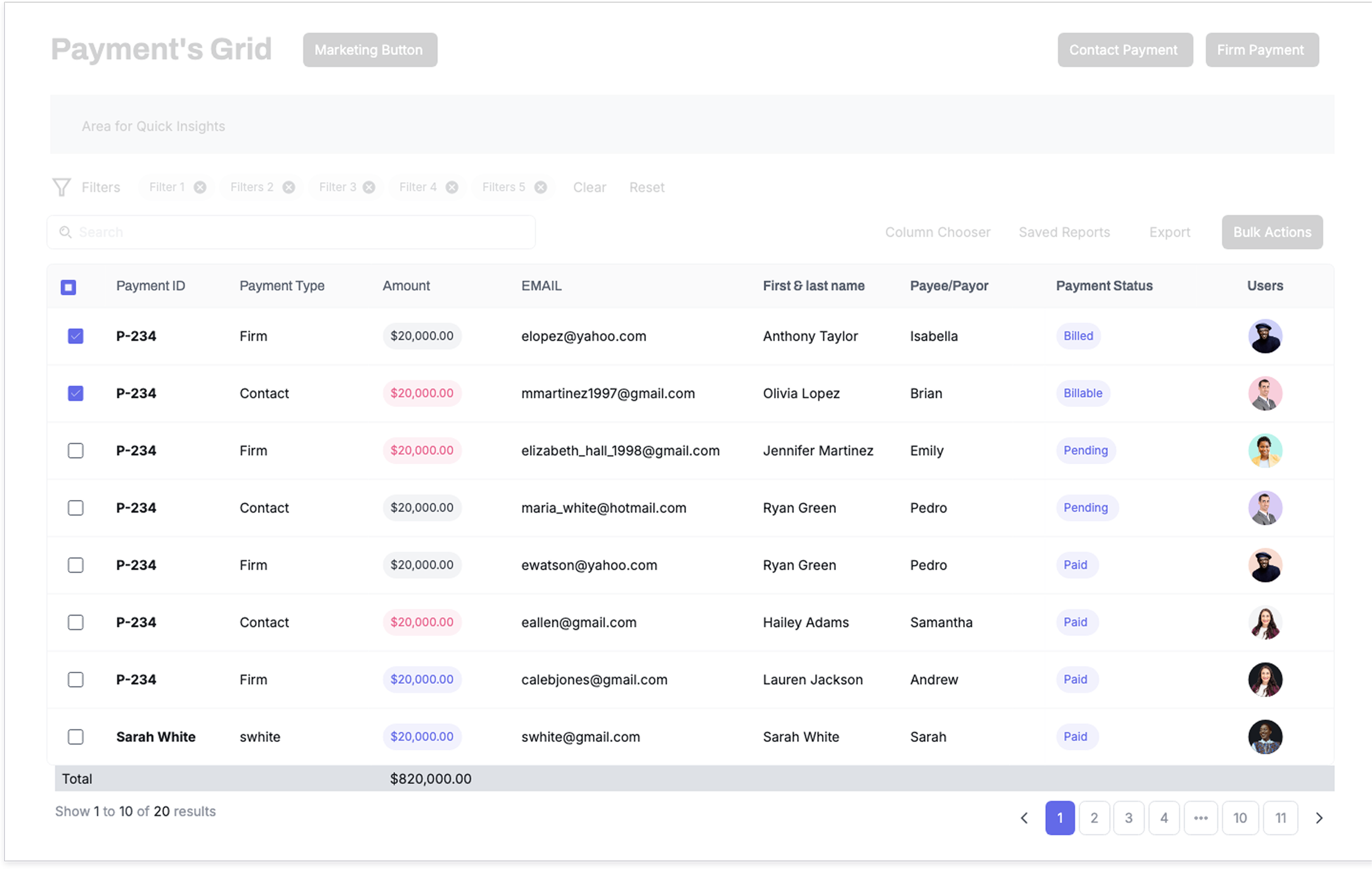
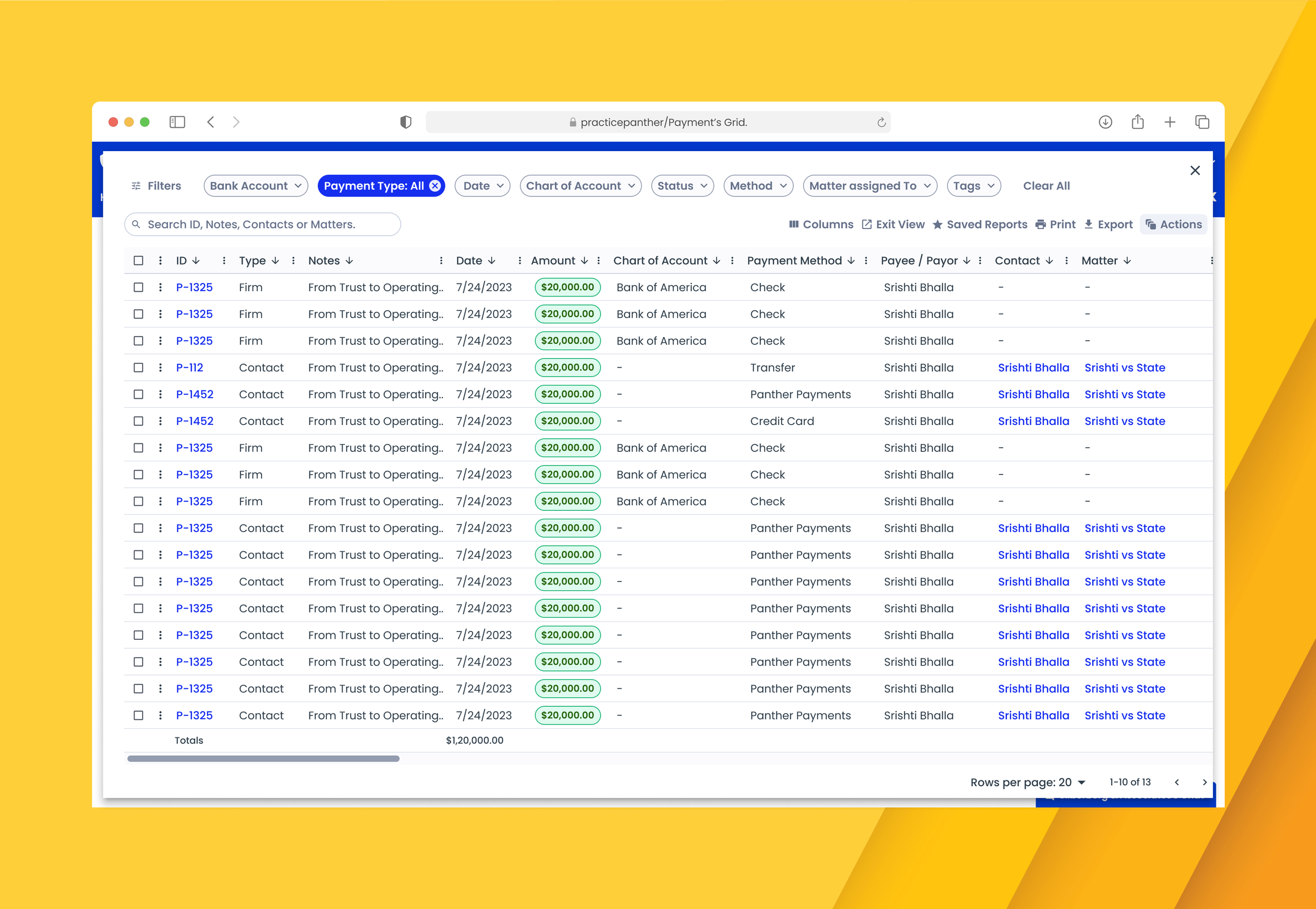
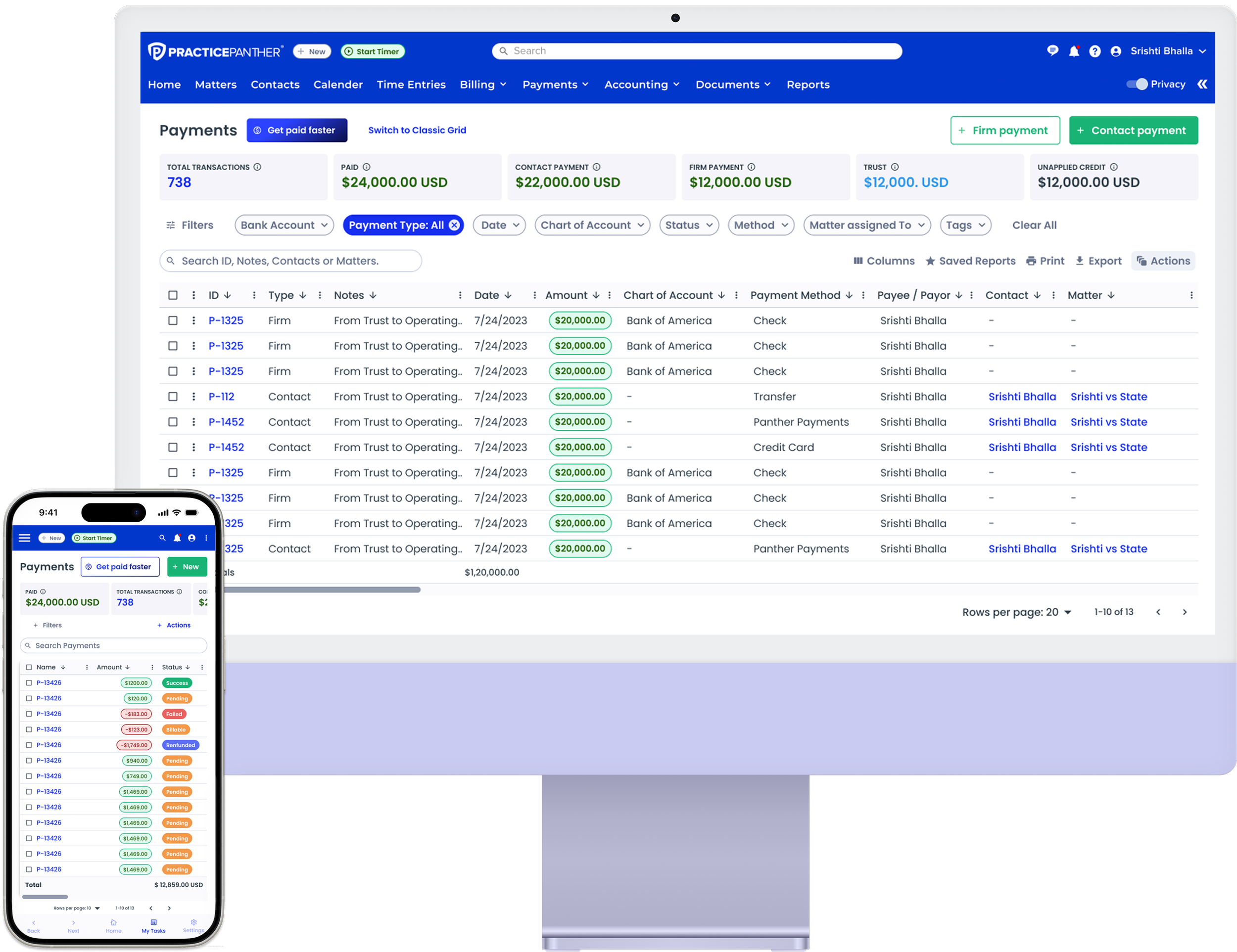
PracticePanther Payments Dashboard
Scroll to explore
01

Overview

The Challenge

I redesigned the PracticePanther Payments grid, a mission-critical workflow for law firms. The legacy grid was slowing product delivery, creating inconsistency, and forcing users into risky Excel workarounds, while driving high support volume and churn risk.

This project rebuilt the grid as a scalable foundation, reducing friction, improving reliability, and unblocking the product roadmap.

Responsibilities

  • System-level design initiative
  • Laying the foundations for a grid system
  • Cross-product scalability

Team

VP of Product 1
Lead Product Designer 1
Product Managers 2
Engineers 10

Deliverables

User Research System Design Wireframing Prototyping Design System
Payments Dashboard View 1
02

Impact

Reduced user churn linked to billing frustration

System-wide adoption across all core workflows

Increased engineering velocity for new features

Built trust in billing workflows for law firms

03

Initial Observations

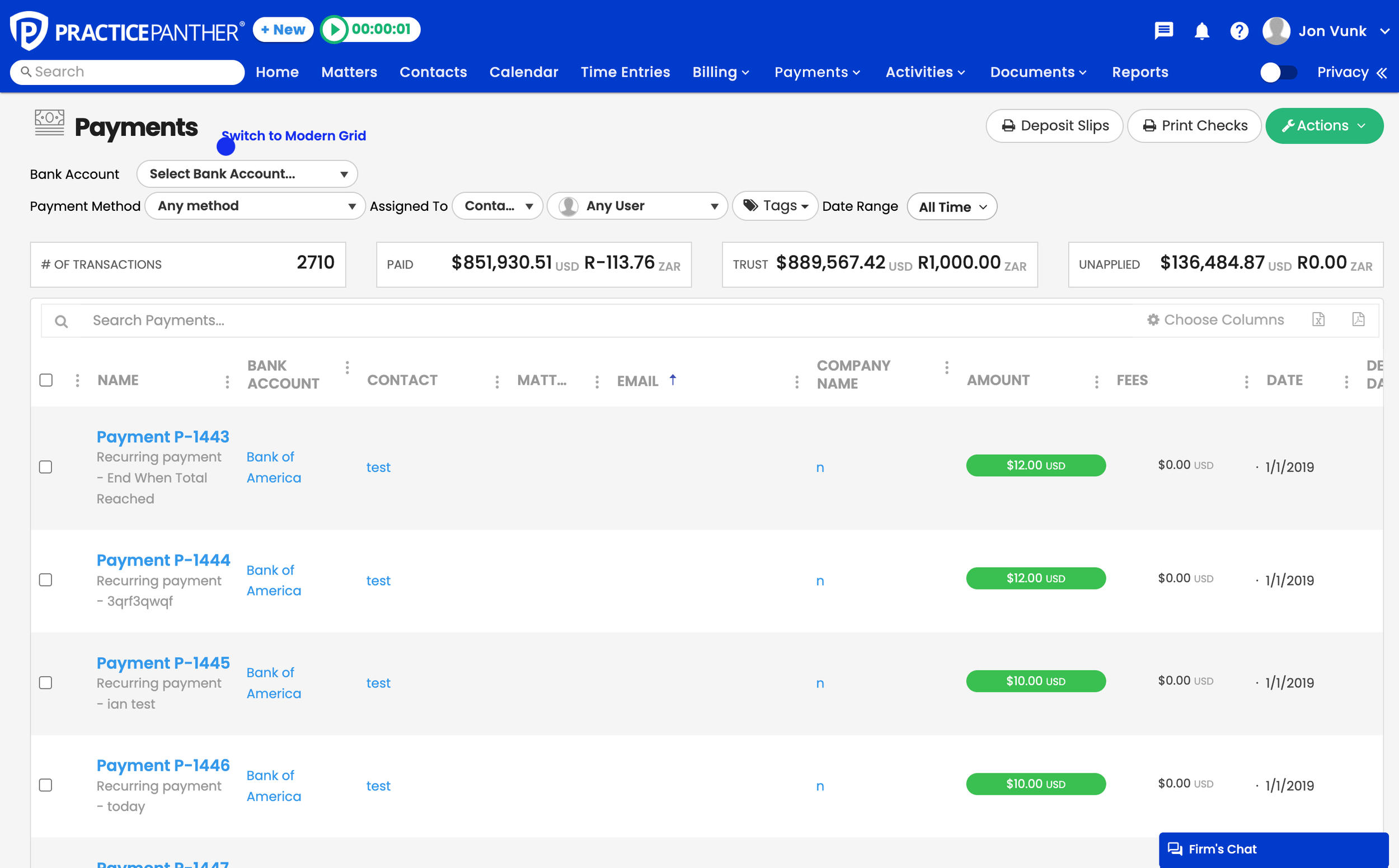
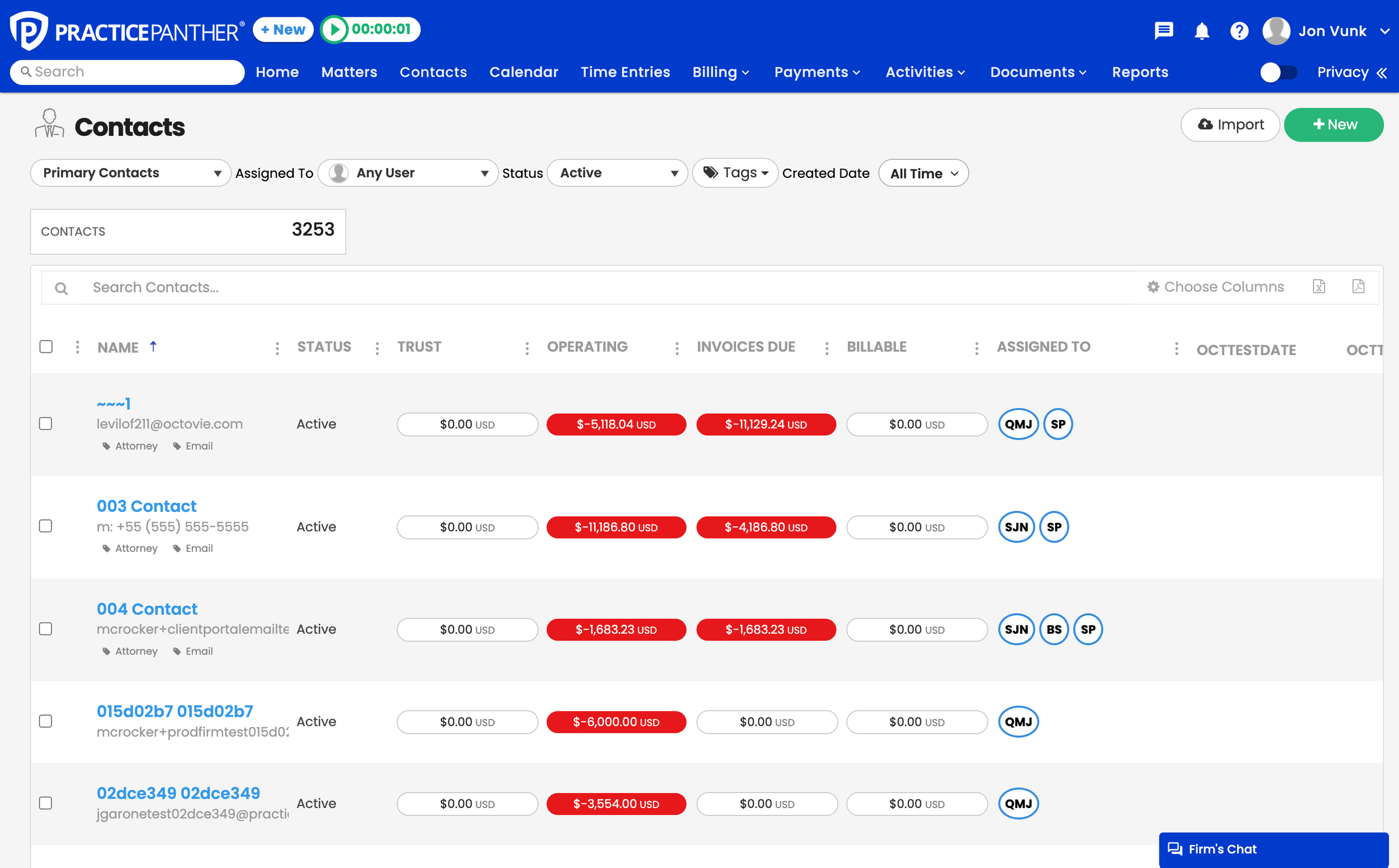
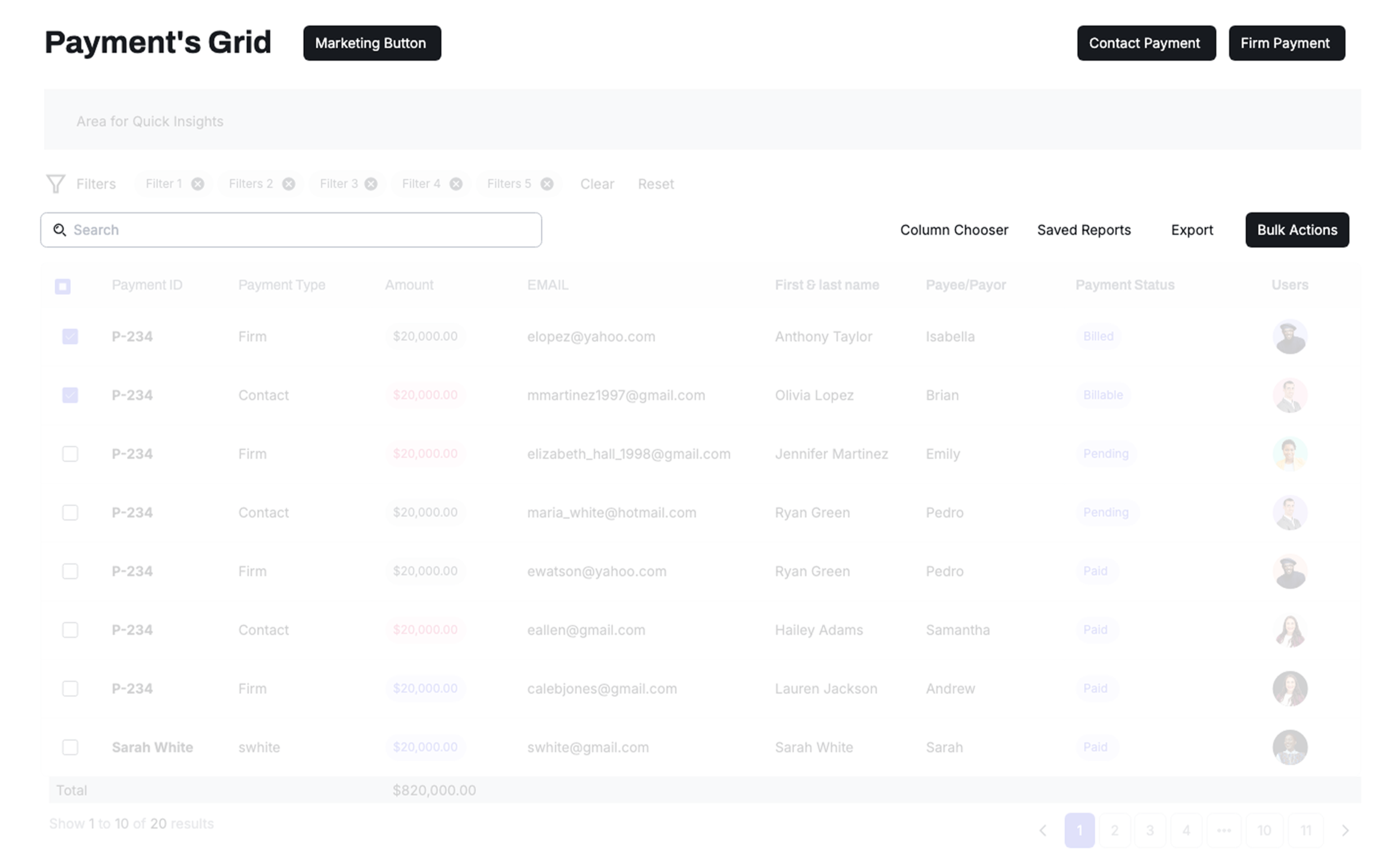
Previous Design Legacy payment grid showing friction points

Payments sat at the heart of daily operations for law firms, but the grid behind it hadn't evolved in years. As features grew, the experience fractured, tasks slowed down, and simple actions became workarounds.

What looked like a UI inconvenience was actually a system-level bottleneck.

What We Heard

What powered every workflow had quietly become the product's biggest constraint. Attorneys couldn't trust the numbers, and billing coordinators were building Excel workarounds just to get through the day.

The Real Problem

This wasn't a surface-level UI issue — it was a foundational design gap affecting every product area that relied on the same grid component.

04

Research

The friction wasn't anecdotal — it showed up in time, tickets, and churn.

Across audits, interviews, and support data, the pattern was consistent:

0 minutes to complete bulk actions
0 % support tickets tied to payments
0 % users have workarounds in Excel
0 % churn linked to billing frustration

Attorneys weren't trusting the product with their finances. This wasn't just UX friction — it was business risk.

05

Pain Points

The pain showed up as missed payments — but the root cause was structural.

I spoke with lawyers, paralegals and billing coordinators in 15 different firms.

Payments felt stressful from the start

Attorneys manage dozens of transactions daily, but basic actions like filtering or bulk edits took minutes. Simple tasks felt heavy and unpredictable.

"I don't have time to dig through filters that don't work. I miss payments and it throws off my whole day." — Solo Attorney

Trust in the numbers wasn't guaranteed

Billing coordinators needed totals and balances to be obvious and reliable. Hunting for critical financial information created anxiety around compliance.

"I need trust totals front and center. Hunting for them makes me worry we'll mess up compliance." — Billing Coordinator

The system felt overwhelming to navigate

New users struggled to find what they needed. Key actions were buried behind filters and menus, making everyday work feel harder than it should.

"I feel lost in here. I can't find things most of the time." — Paralegal
06

System Impact

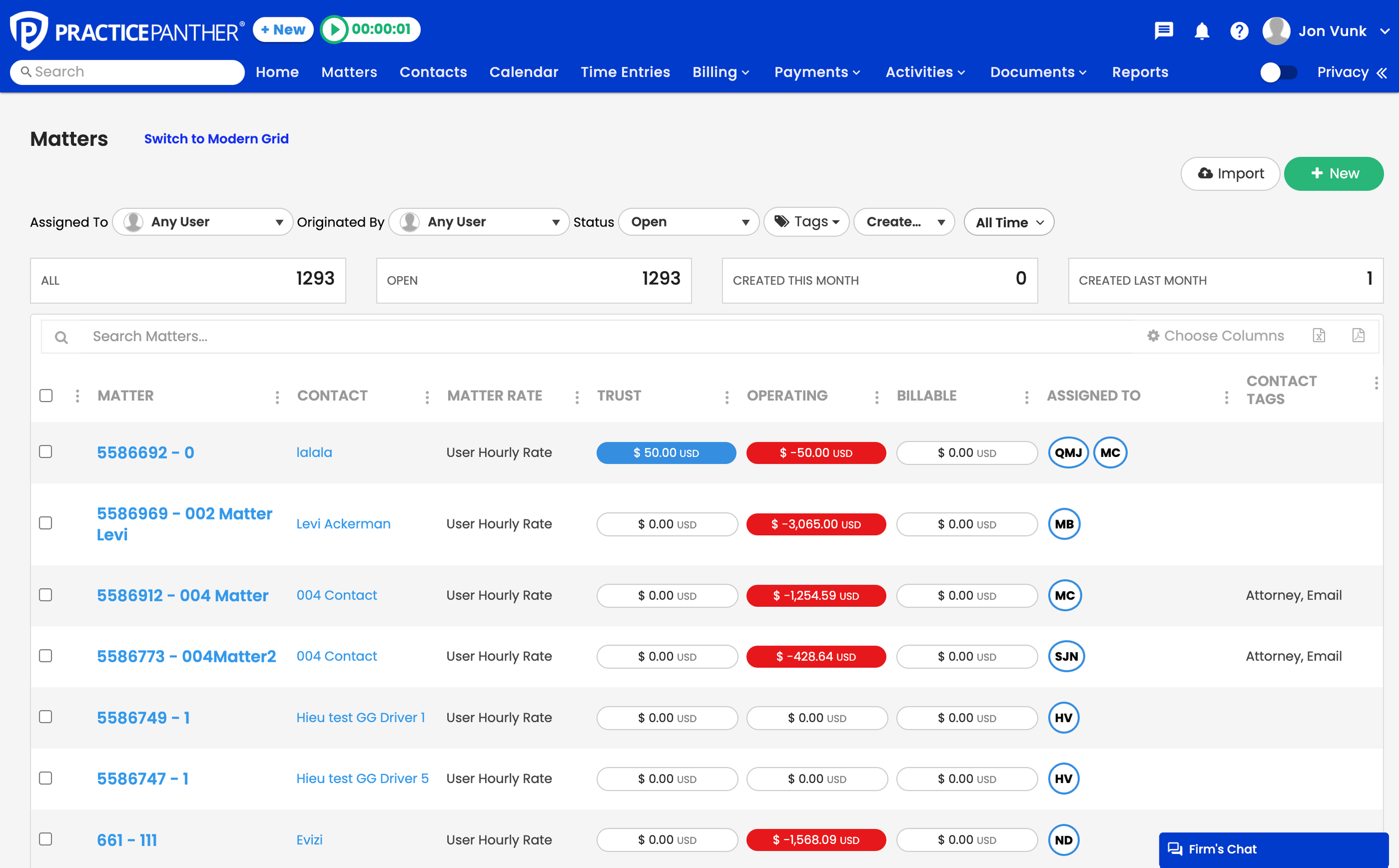
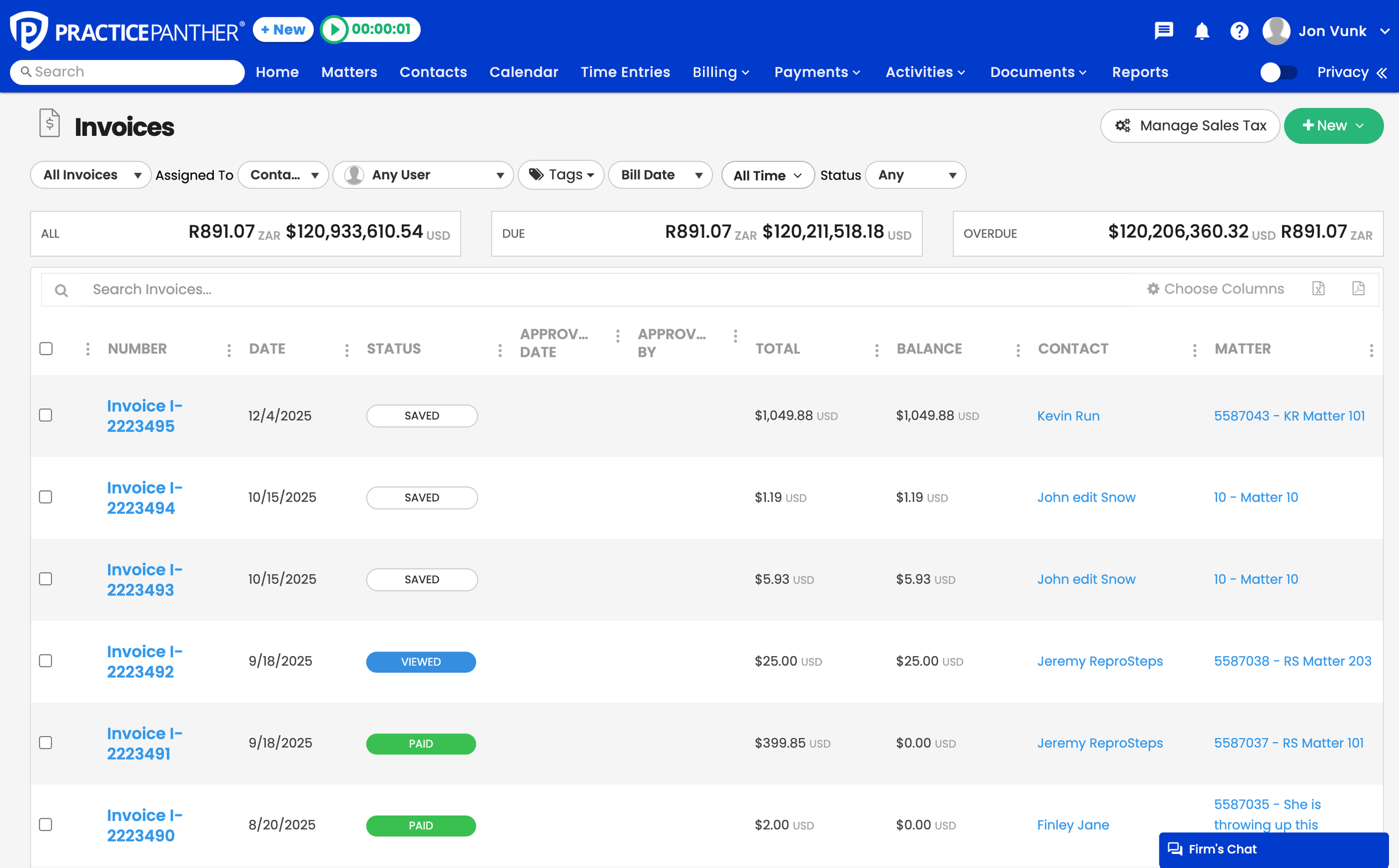
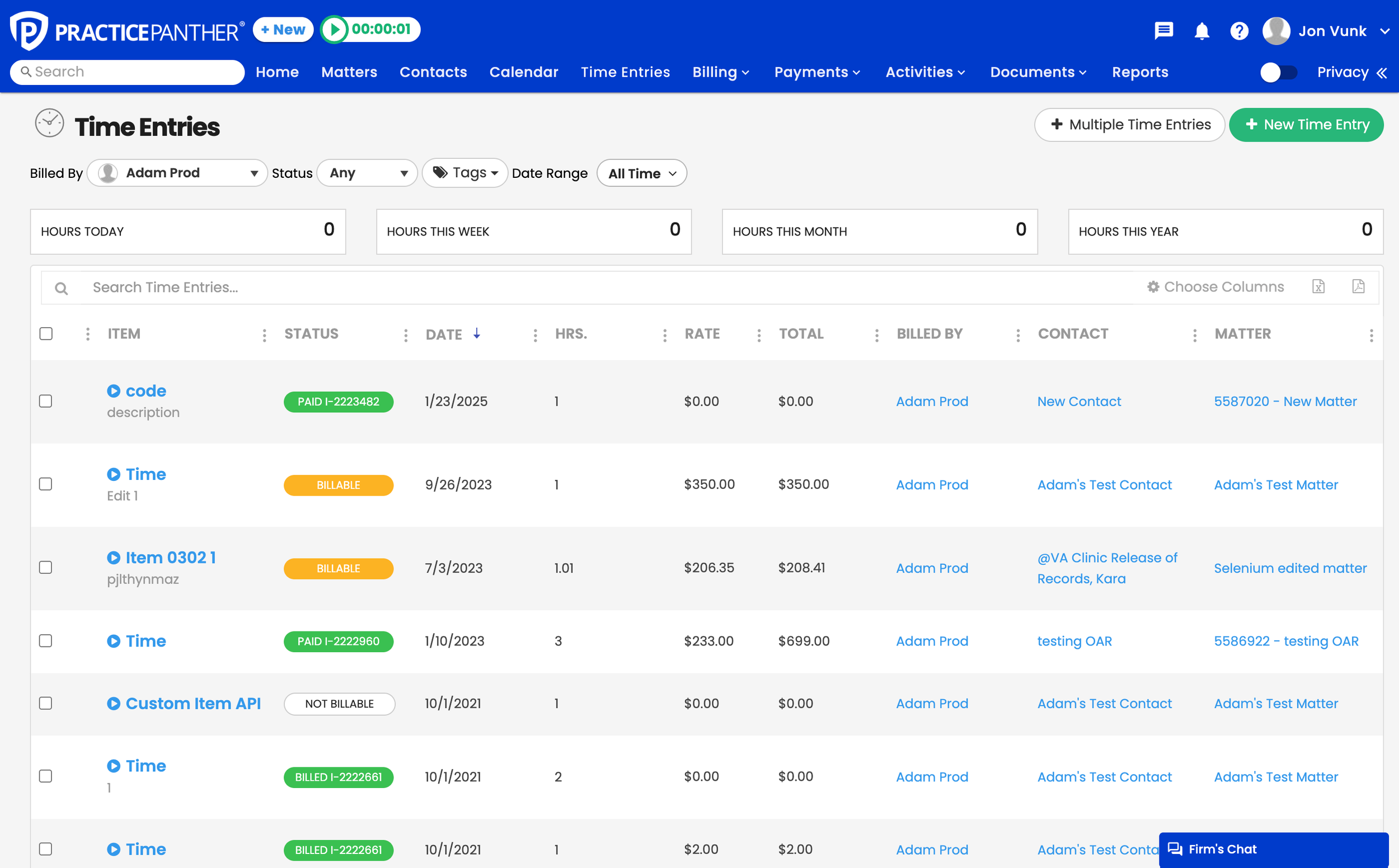
Payments wasn't the only place users struggled. The same legacy grid powered Matters, Invoices, and Contacts — carrying the same friction everywhere. Filters were buried. Totals were hidden. Bulk actions were hard to find.

Every workflow inherited the same constraints. Fixing Payments alone wouldn't solve the problem. We had to redesign the system once, for everything.

Matters

Case management grids shared the same filtering and sorting limitations, slowing case lookups.

Invoices

Billing teams couldn't verify totals at a glance — leading to compliance anxiety and manual reconciliation.

Contacts

No bulk actions meant updating client records one at a time — eating hours every week.

Reports

Generating custom views required exporting to Excel — a fragile and time-consuming process.

Grid in Matters Grid in Invoices
Grid in Contacts Grid in Reports
07

Design Strategy

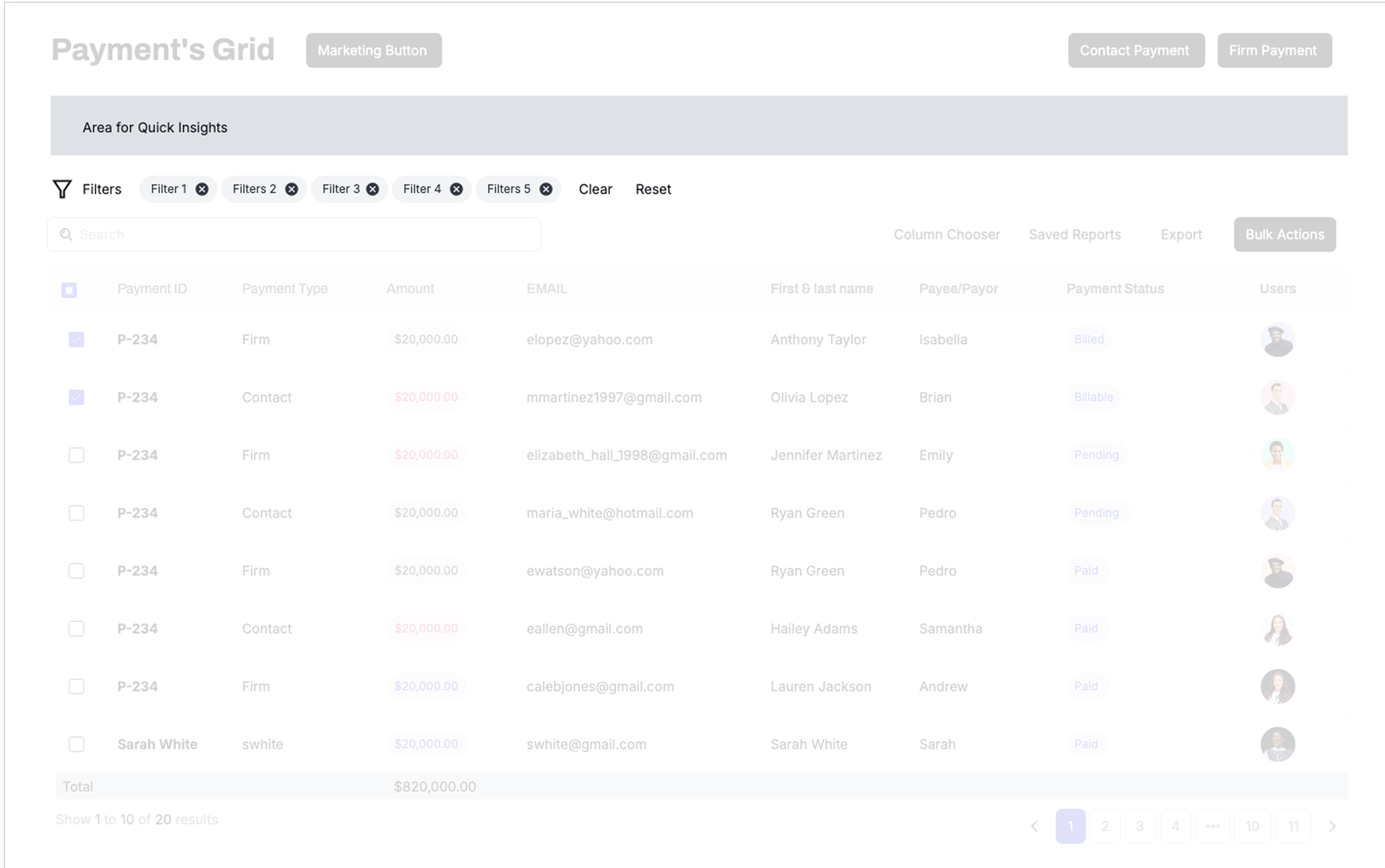
Attorneys weren't just "using a table." They were moving through different mental states — finding information, validating details, and acting quickly. So we redesigned the grid around three distinct modes of work, each supporting a different user intent.

1

Discovery

Finding Information
Discovery Mode Wireframe

Key Insights

Users need to quickly locate specific payments or filter large datasets.

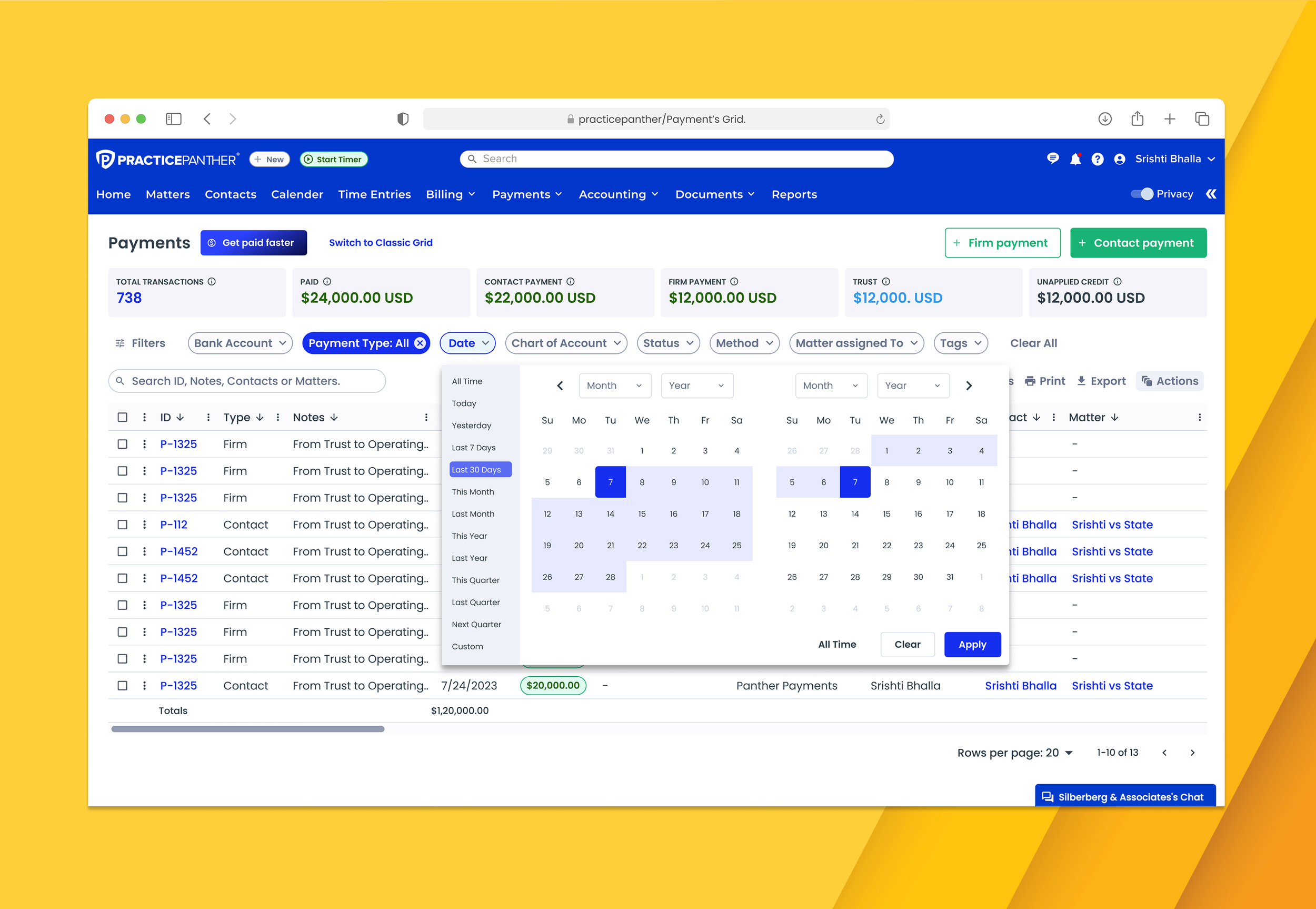
Smart Filters

Intelligent presets and custom ranges for rapid filtering.

Search

Enhanced search with instant results and suggestions.

2

Efficiency

Acting Quickly
Efficiency Mode Wireframe

Bulk Actions

Select multiple items and apply changes in one step.

Saving Reports

Save and share filtered views for recurring tasks.

CTAs

Clear, contextual calls-to-action for common workflows.

3

Deep Dive

Validating Details
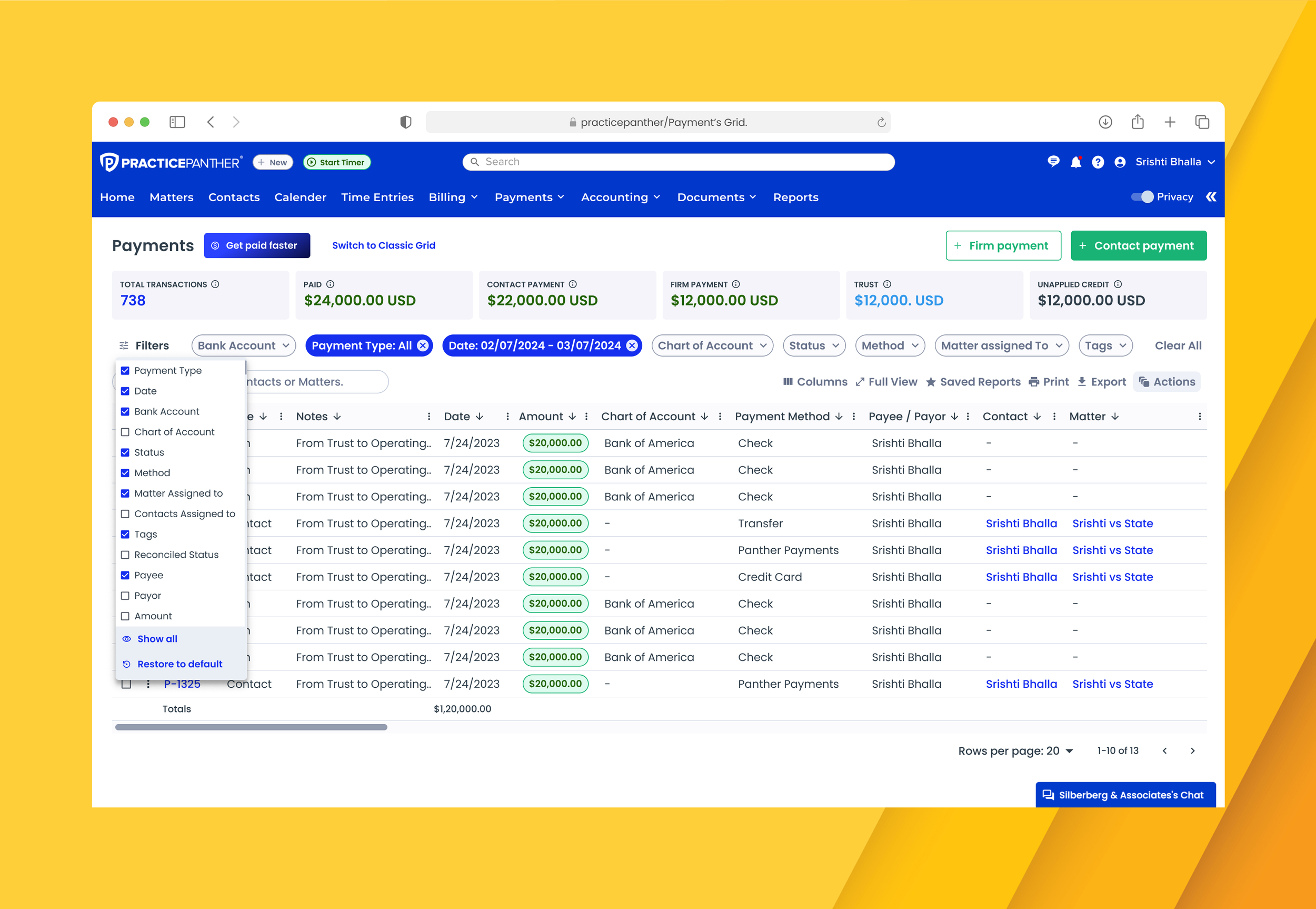
Deep Dive Mode Wireframe

Sticky Headers

Keep column headers visible while scrolling through data.

Anchored Totals

Financial summaries always visible for quick validation.

Pagination

Efficient navigation through large datasets.

08

Final Delivery

The final system was built component by component — each solving a specific pain point surfaced during research. Every piece was designed to work independently and as part of the whole.

Smart Filtering

Users can filter payments in seconds with presets or custom ranges.

Smart Filtering Interface

Verified Totals

Users can filter precisely and verify totals at a glance.

Verified Totals Display

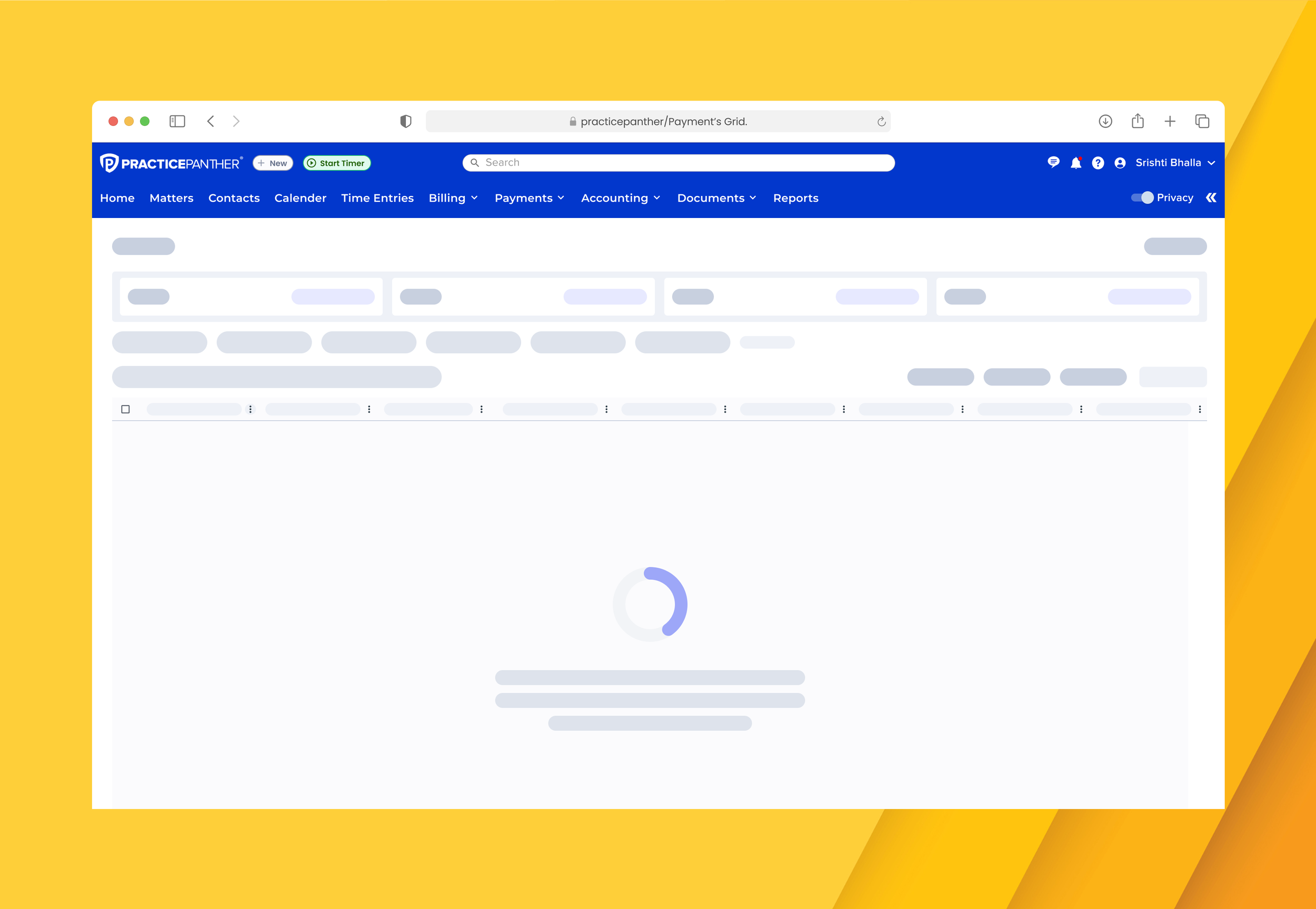
Loading States

Users get clear feedback while data loads, so nothing feels stuck.

Loading States

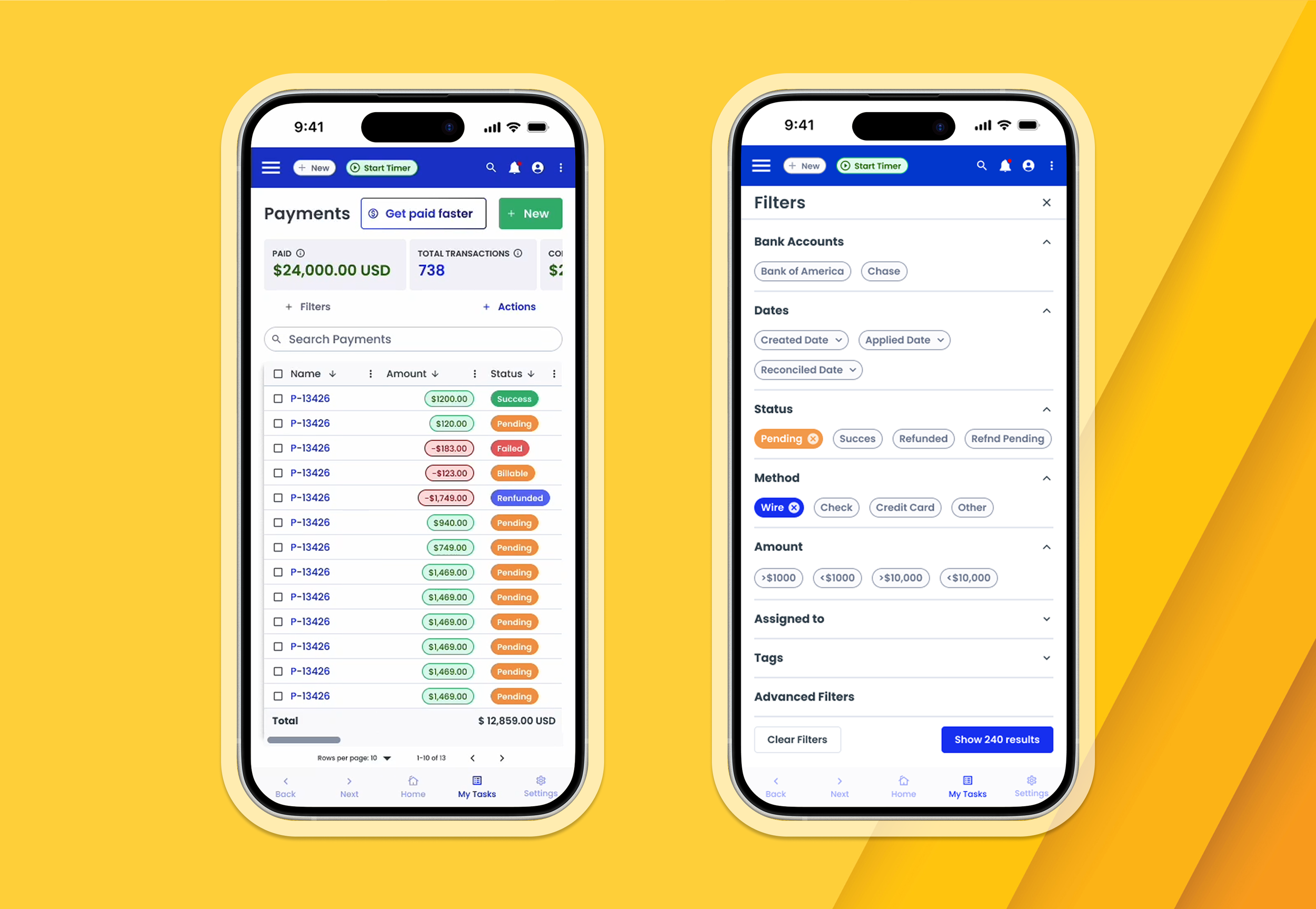
Mobile Experience

Users can manage payments confidently on the go.

Mobile Experience
09

Results

The impact has been substantial. We tracked key metrics and within 6 months:

40 sec to complete bulk actions (down from 7 minutes)
80% increase in searches
1000+ Saved reports created by users
10

Key Learnings

01

System-level thinking scales

Redesigning the grid once for all workflows ensured consistency and reduced future engineering effort.

02

User workarounds reveal priorities

70% Excel usage showed us exactly where the product was failing — and what to fix first.

03

Trust is earned through clarity

Making totals visible and reliable rebuilt user confidence in billing workflows.

04

Modes of work drive design

Designing for Discovery, Efficiency, and Deep Dive ensured the grid supported real user behavior.

Next Project

Bill4Time: Billable Hours

Making every billable hour count — 30% feature adoption, 5 hrs saved manual work

View Project