I led the redesign of Bill4Time's Time & Expense tracking system, introducing a monthly calendar view that gave lawyers clear visibility into their billable targets — a critical capability missing from the old weekly grid.
Over 12 weeks, I collaborated with product, engineering, and customer success to research workflows, prototype solutions, and deliver a React-based redesign with bulk editing, clear billing indicators, multi-user filters, and faster performance. These improvements boosted tracking accuracy, helping legal teams stay on target and reclaim hours of administrative time each month.
Feature adoption in first month
Churn reduction in first quarter
Faster load times for high-volume accounts (500+ entries)
Improved NPS from time-tracking users
Reduced weekly admin time for heavy users
Bill4Time's weekly-only grid made it hard for law firms to track monthly billable targets, forcing them to run multiple reports and manually calculate totals.
Lawyers and administrative staff were spending 5+ hours each week on manual time tracking, while attorneys handling multiple cases struggled to review and ensure accuracy before invoicing.
Give lawyers and admin staff an at-a-glance monthly view of billable progress, along with faster workflows like bulk editing, multi-user filters, and clear billed vs. unbilled indicators to save time and prevent missed entries.
Modernize the Time & Expense tracking system to support monthly billing cycles, improve accuracy, and reduce the administrative burden — ultimately increasing adoption and retention.
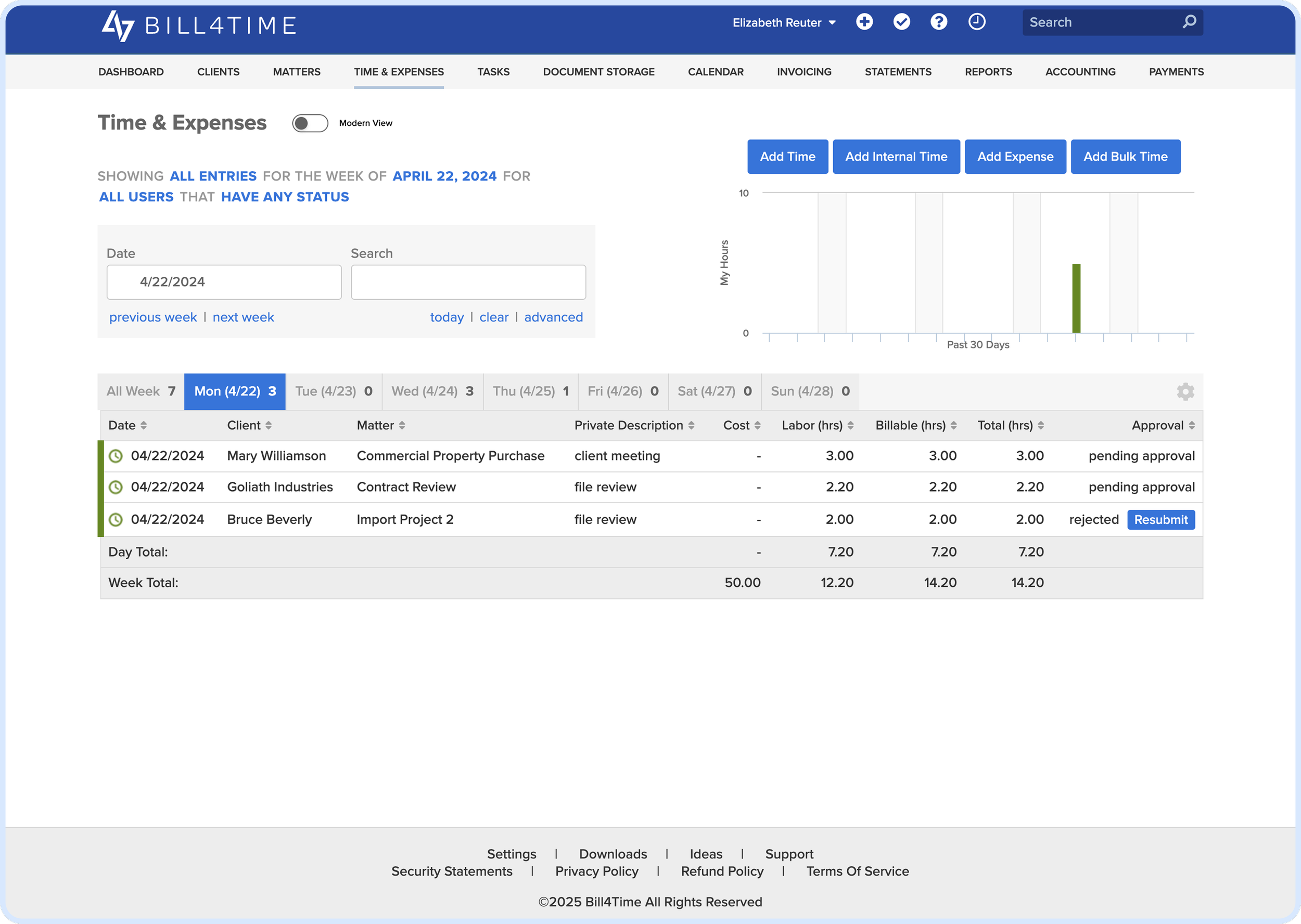
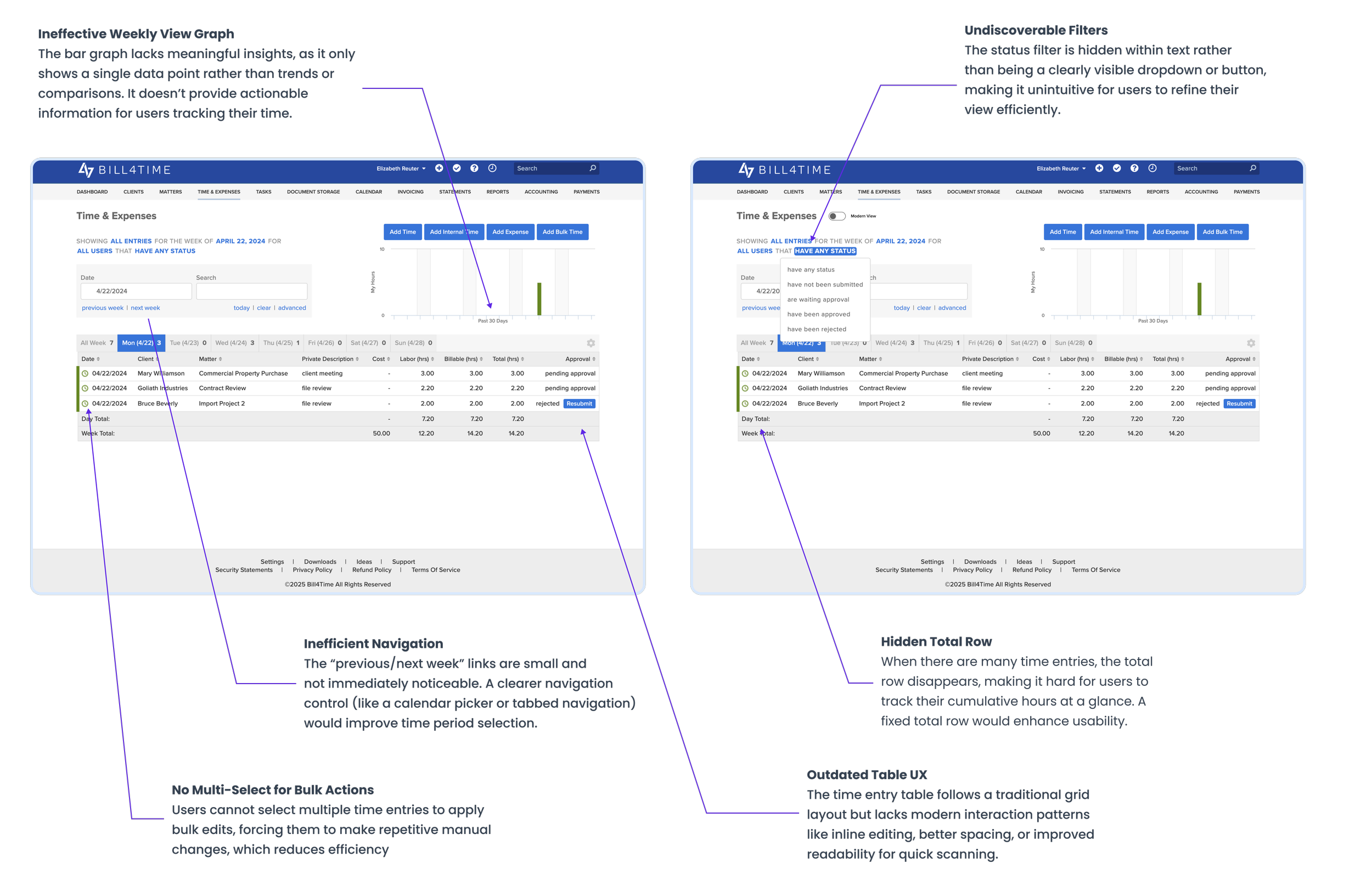
I analyzed the existing time & expenses section and the current user experience. I conducted a UX audit to spot any usability issues.
What the data revealed?
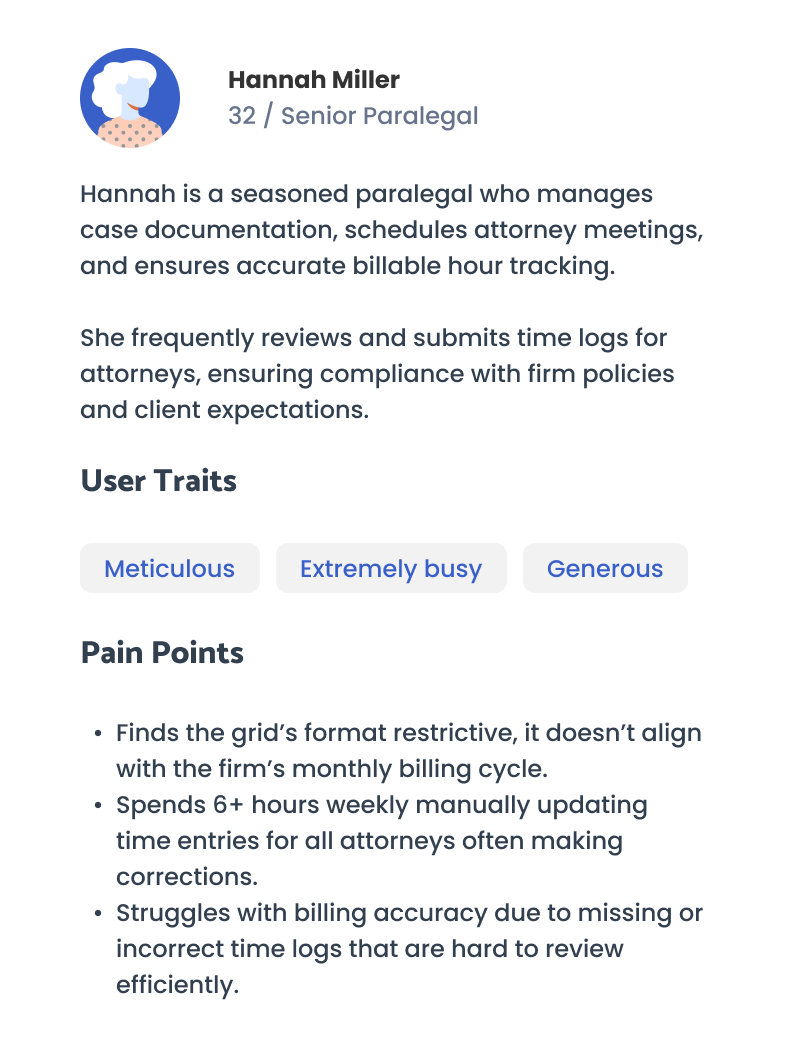
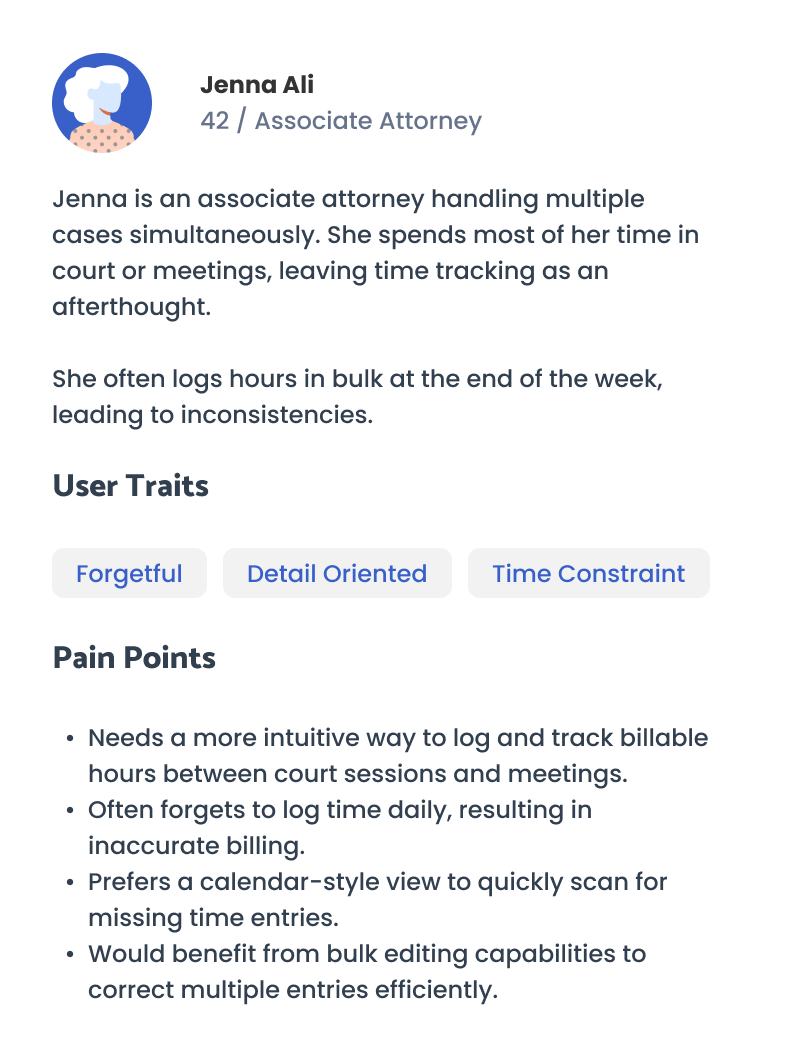
We began with 2 weeks of user research, speaking to senior paralegals and associate attorneys; the primary users of Bill4Time's time-tracking features.
"I need to see my monthly hours at a glance so I know if I'm meeting my target; the weekly view is too limiting." — Jenna Ali, Associate Attorney
"Bulk editing would save me hours. Right now, it's tedious to make changes one by one." — Hannah Miller, Senior Paralegal
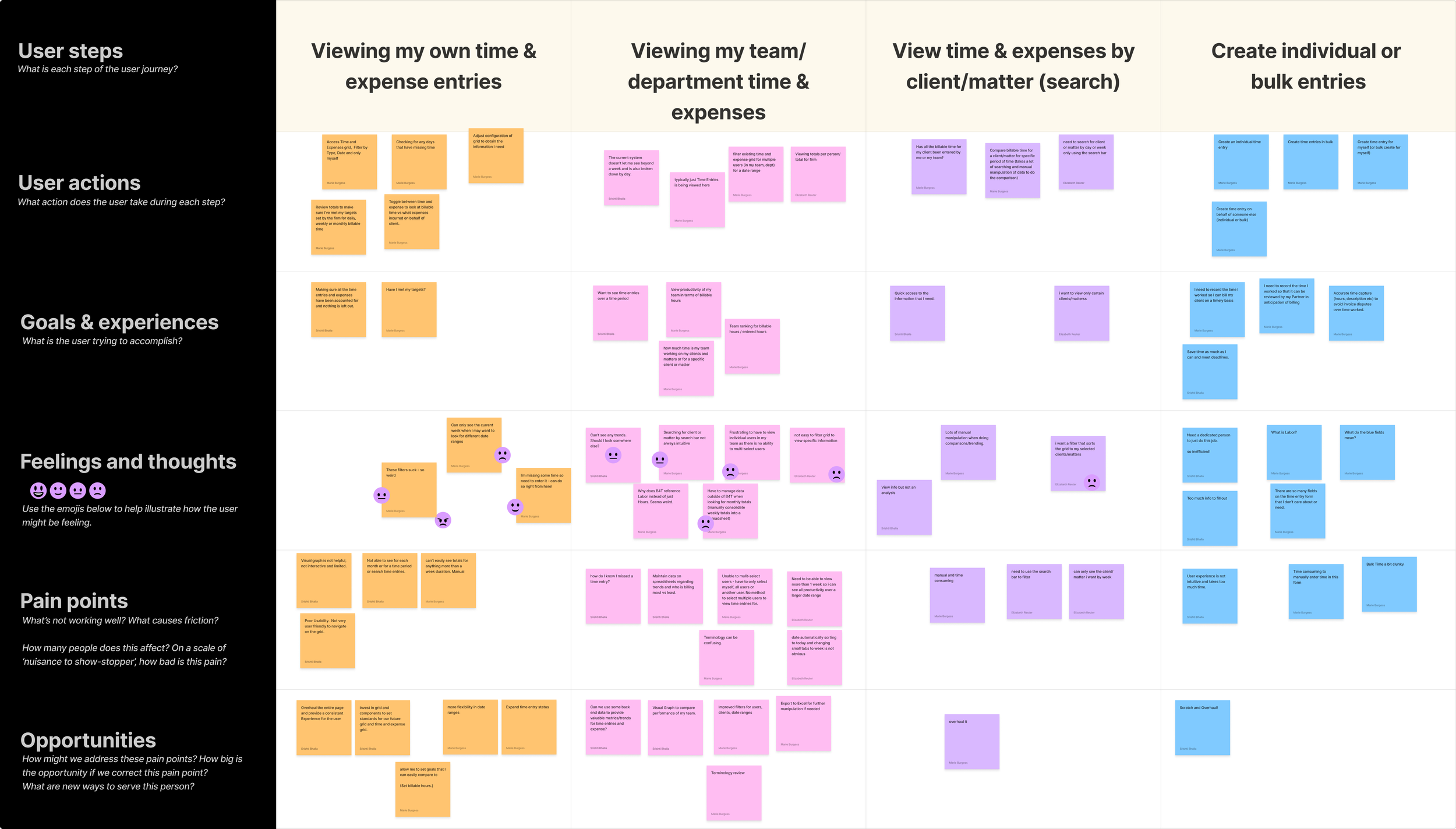
We created a user journey map to visualize pain points across their workflow.
Key friction points included:
Time lost manually tracking and recalculating monthly totals.
Confusion over billed vs. unbilled entries.
Limited flexibility in viewing team or multi-user data.
We studied our competitors in the Legal Tech industry like Clio, MyCase, Caret Legal, Cosmolex) and found industry norms that Bill4Time lacked.
To meet tight deadlines, we prioritized rapid iteration, starting with high-fidelity mocks. I created iterations for both Time Calendar View as well as Time and Expense Grid.
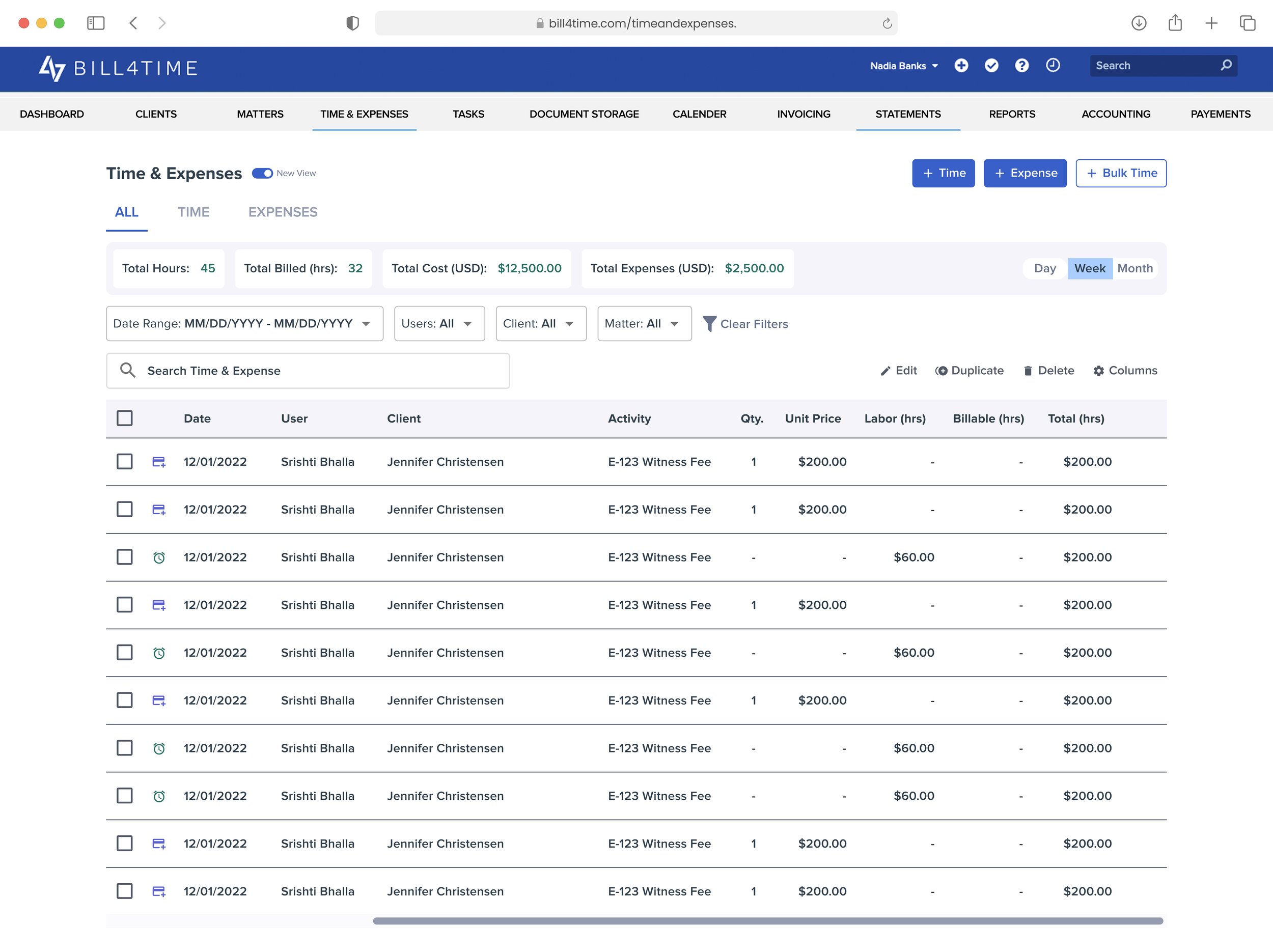
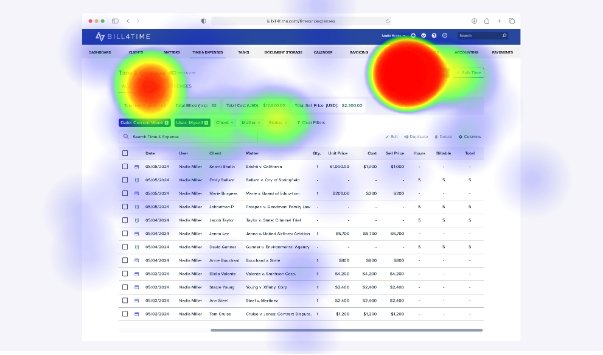
Users appreciated having totals for hours, costs, and billing displayed at the top of the grid. Inspiration from our sibling product Practice Panther validated this approach. Bulk actions positioned at the top left also matched user expectations.
Created a grid-based view with existing filters, adding a summary insights section on top for weekly/monthly totals. Positioned bulk actions clearly at the top of the grid for visibility.
While the summary insights worked well, the old filter design consumed too much real estate, cluttering the interface.
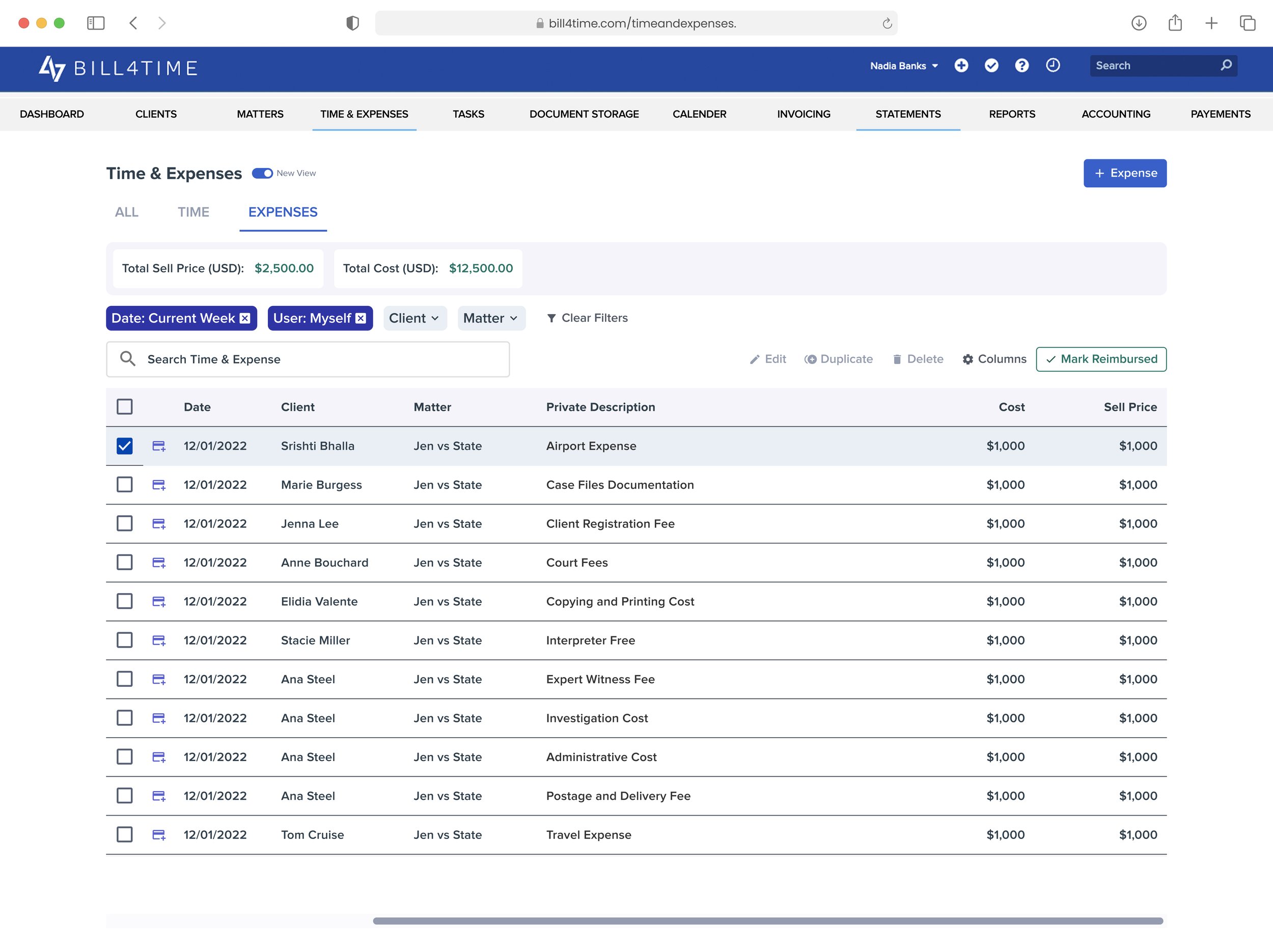
Users needed a clearer separation between time entries and expenses. Some still relied on the legacy "Mark Reimbursed" feature, but it wasn't widely used across firms.
Created a dedicated Expenses tab for a more focused view. Added "Mark Reimbursed" as an option to test whether it was still valuable. Tried new Filters style.
Separating views improved clarity, but niche features like reimbursement didn't justify MVP scope. We chose to prioritize core workflows first.
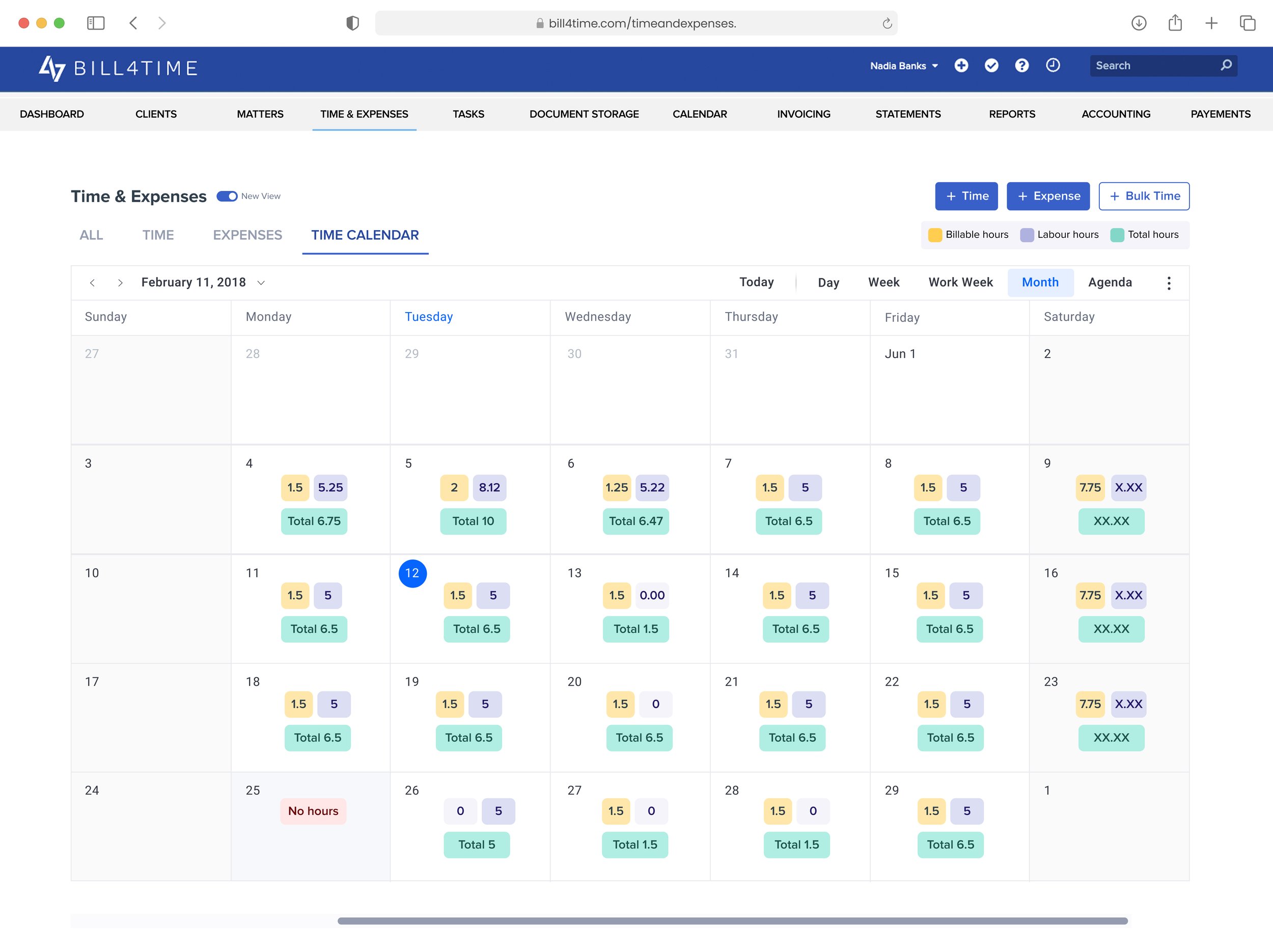
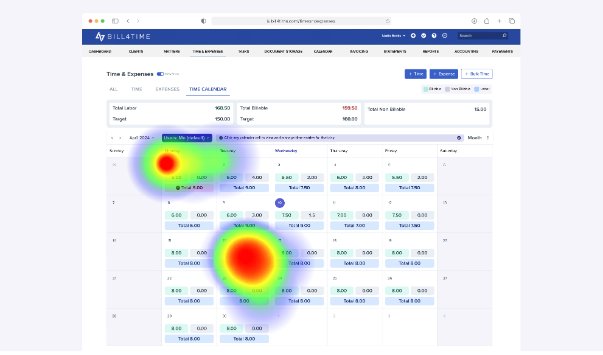
Users liked the idea of a calendar overview but found several points confusing: Non-billable hours were labeled "Labour Hours," causing misinterpretation. Weekly totals showed under Saturday, which conflicted with how some lawyers worked weekends. Holidays marked as "No Hours" in red looked like an error instead of intentional.
Created a calendar view with a legend for billable, non-billable, and total hours. Added weekly totals, but reserved Saturday for them. Began exploring filters by user/attorney for more flexibility.
The calendar provided at-a-glance visibility but introduced terminology issues and placement confusion. Needed refinement before becoming MVP-ready.
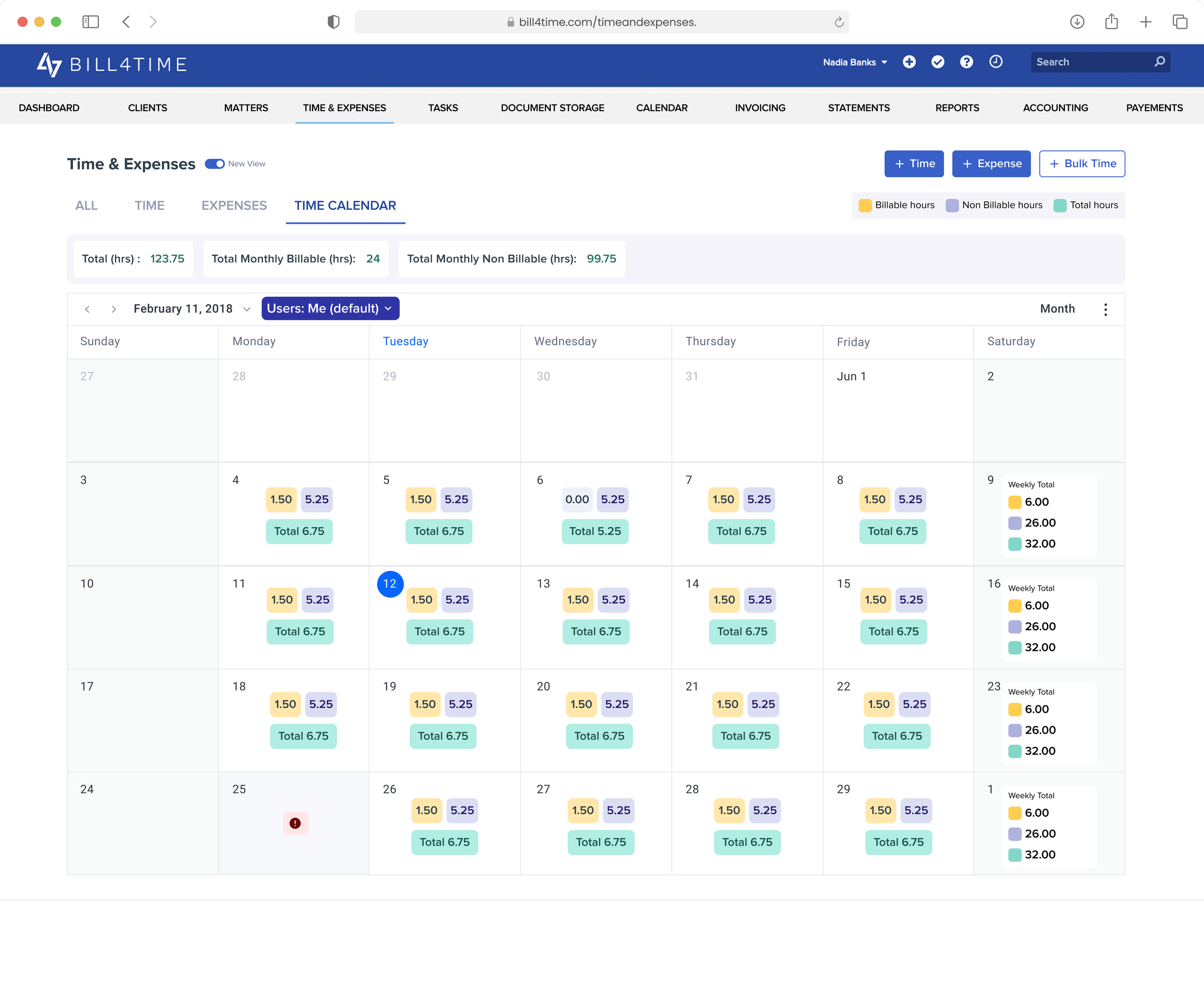
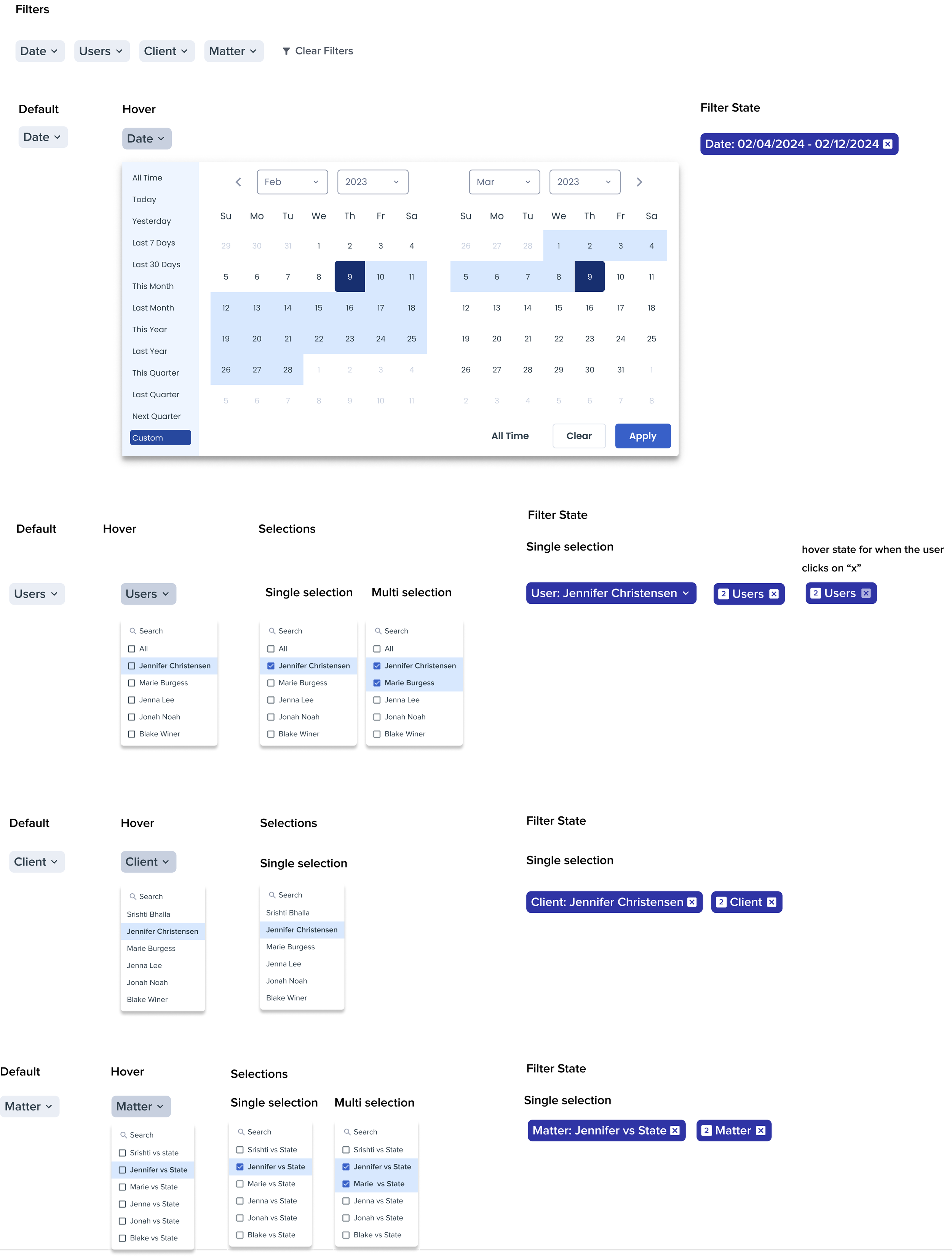
Users needed clearer visibility into weekly totals and the ability to filter by different users at a firm. This would make it easier for admins and partners to review workload distribution.
Added a dedicated filter to toggle between users. Introduced weekly totals directly in the calendar. Moved monthly totals to the top for quick reference.
Easier to view team workload and totals at different levels. However, weekly totals still cluttered Saturdays and too many competing colors reduced clarity.
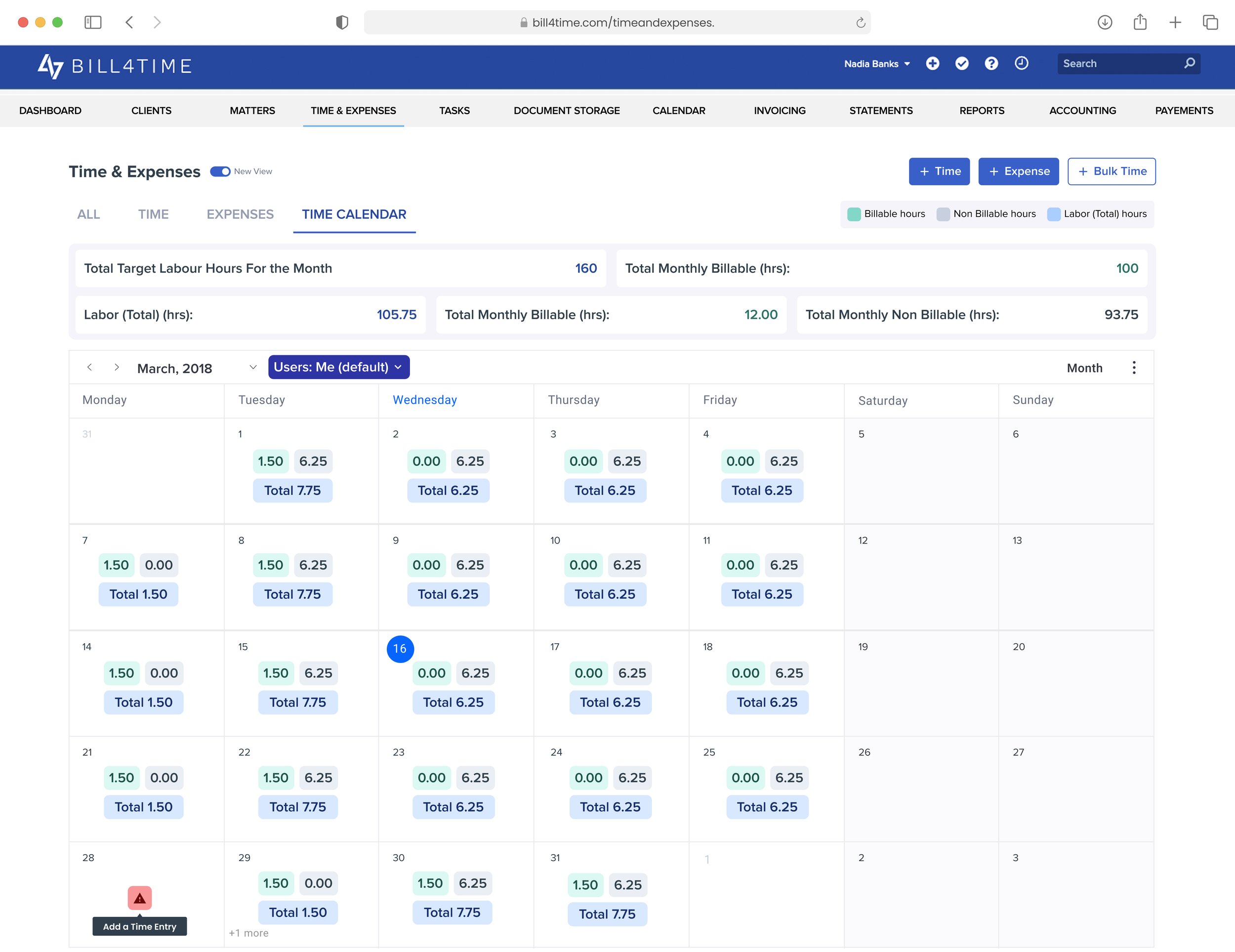
Users needed a way to track progress against target labor hours while still keeping billable hours visually distinct and easy to spot. This would help individuals and firms measure performance against goals.
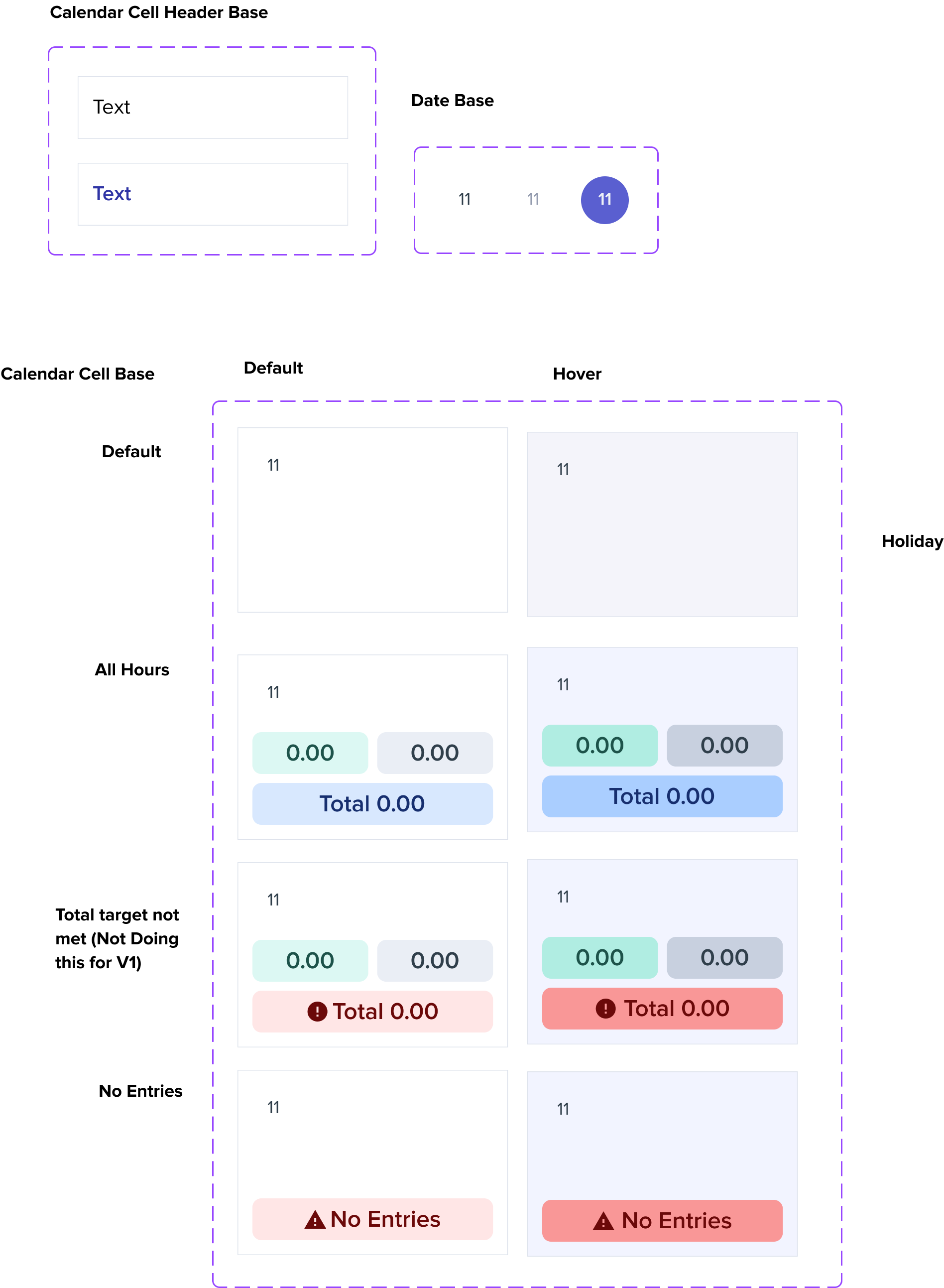
Introduced total target labor hours in the monthly totals. Updated the color cues so billable hours stand out more clearly. Kept non-billable and total hours subtle to reduce visual clutter.
Gave users a benchmark for performance with target hours. Billable hours became more prominent and easier to scan. However, some users still found the calendar visually dense, and target hours added extra complexity not all users needed.
Attorneys can switch seamlessly between time, expenses, and calendar views — making it effortless to track and match billing data.
Quick filters let attorneys find exactly what they need fast, saving time on searches and reducing billing errors.
Bulk edits cut down repetitive admin work, letting attorneys spend less time on data entry and more time on clients.
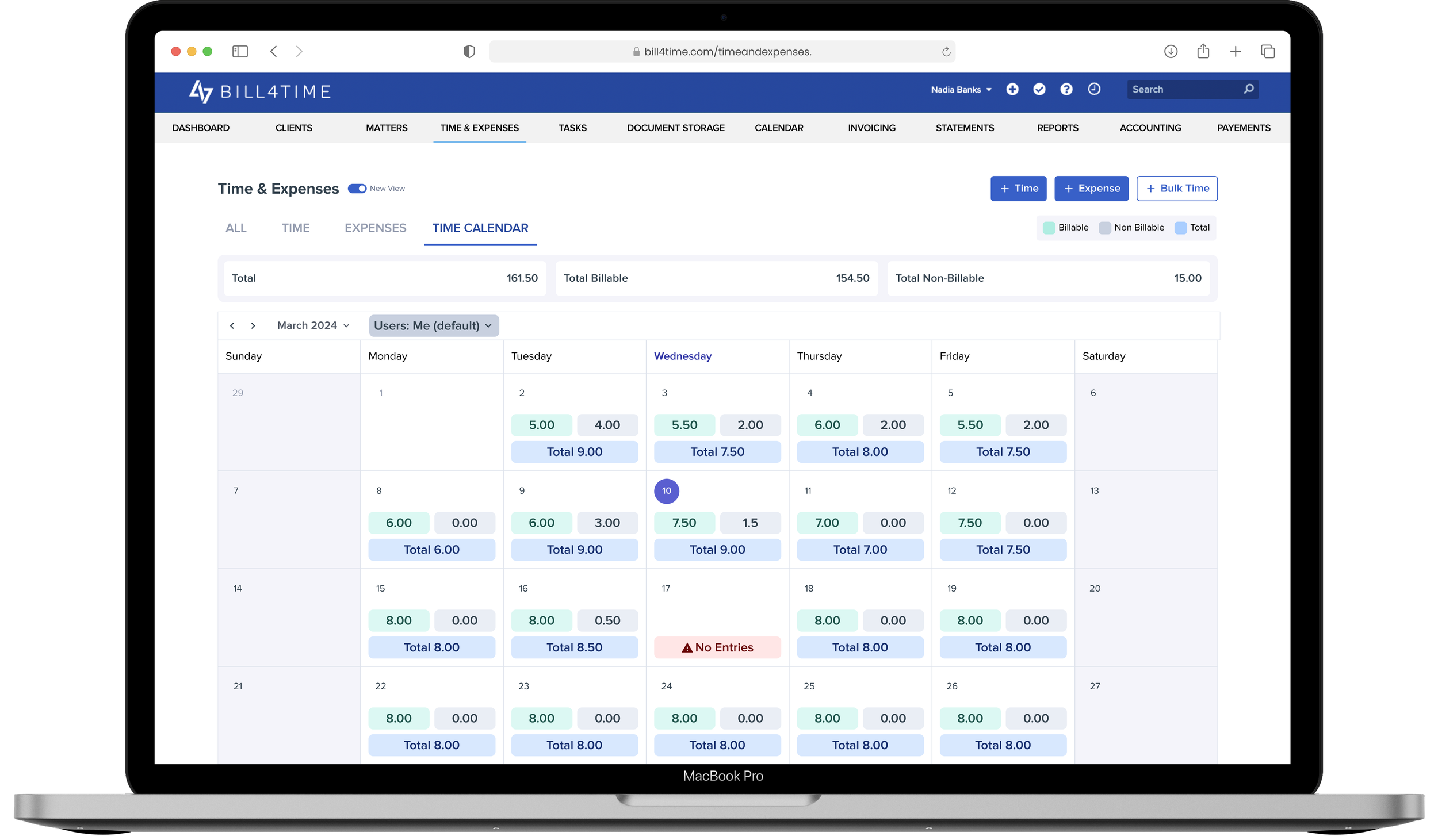
The calendar view gives attorneys a clear snapshot of their billable vs. non-billable hours, helping them stay on track with targets.
Missed time entries are flagged instantly, ensuring attorneys never lose billable hours.
Firm admins and partners can see hours across the entire team, making performance tracking and oversight effortless.
Attorneys can drill directly into calendar cells to review detailed time entries — no extra clicks, no wasted time.
Within the first weeks of launch, the redesigned Time Calendar and Time & Expense Grid saw rapid adoption and strong validation from users.
Building reusable calendar + grid components meant this wasn't just a one-off redesign; it set a foundation that future teams could build on quickly and consistently.
Usability testing surfaced issues (dense grids, slow dropdowns) that can be easily overlooked — proving that even small tweaks can drive big usability wins.